
ColdByte
Security Agent

Know where your Microsoft 365 security stands. Investigate threats, approve fixes, and keep security evidence ready—all within your own cloud environment.

Overview

A clearer picture. A practical next step.

ColdByte Security Agent brings Microsoft 365 security assessment, event investigation and guided remediation into one working process. Your team gets a current view of risk, understandable findings and a controlled path to improvement, supported by a dashboard and Microsoft Teams.

Understand your risk

Make security a daily practice.

Daily assessments check your Microsoft 365 configuration and show how your security position changes over time. Instead of treating a report as the end result, ColdByte turns findings into priorities your team can review and act on.

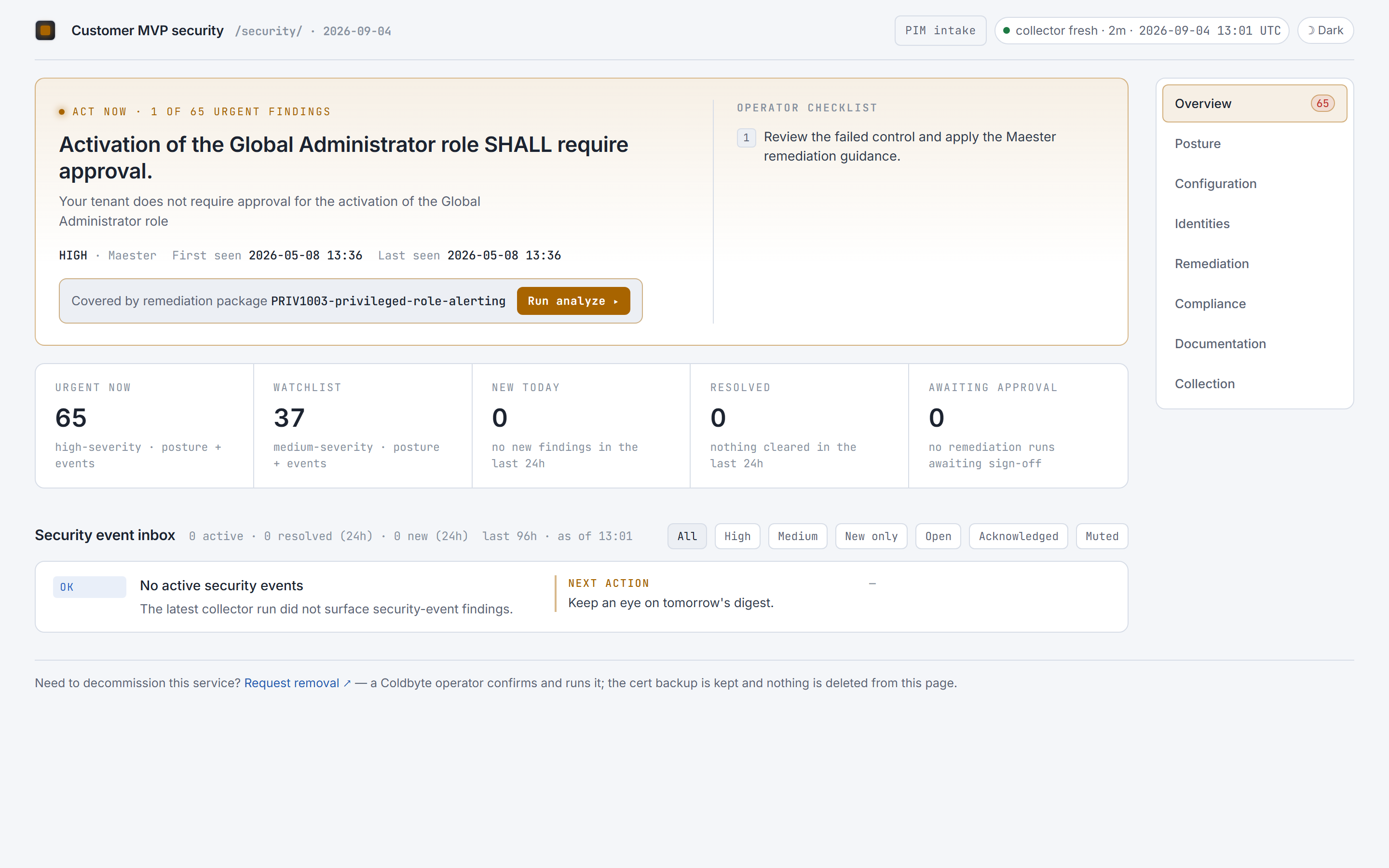
The dashboard brings urgent issues, items under observation and resolved findings together. Security scores and trends help you see both the remaining gaps and the progress already made.

Coldbyte overview dashboard with security priorities and findings
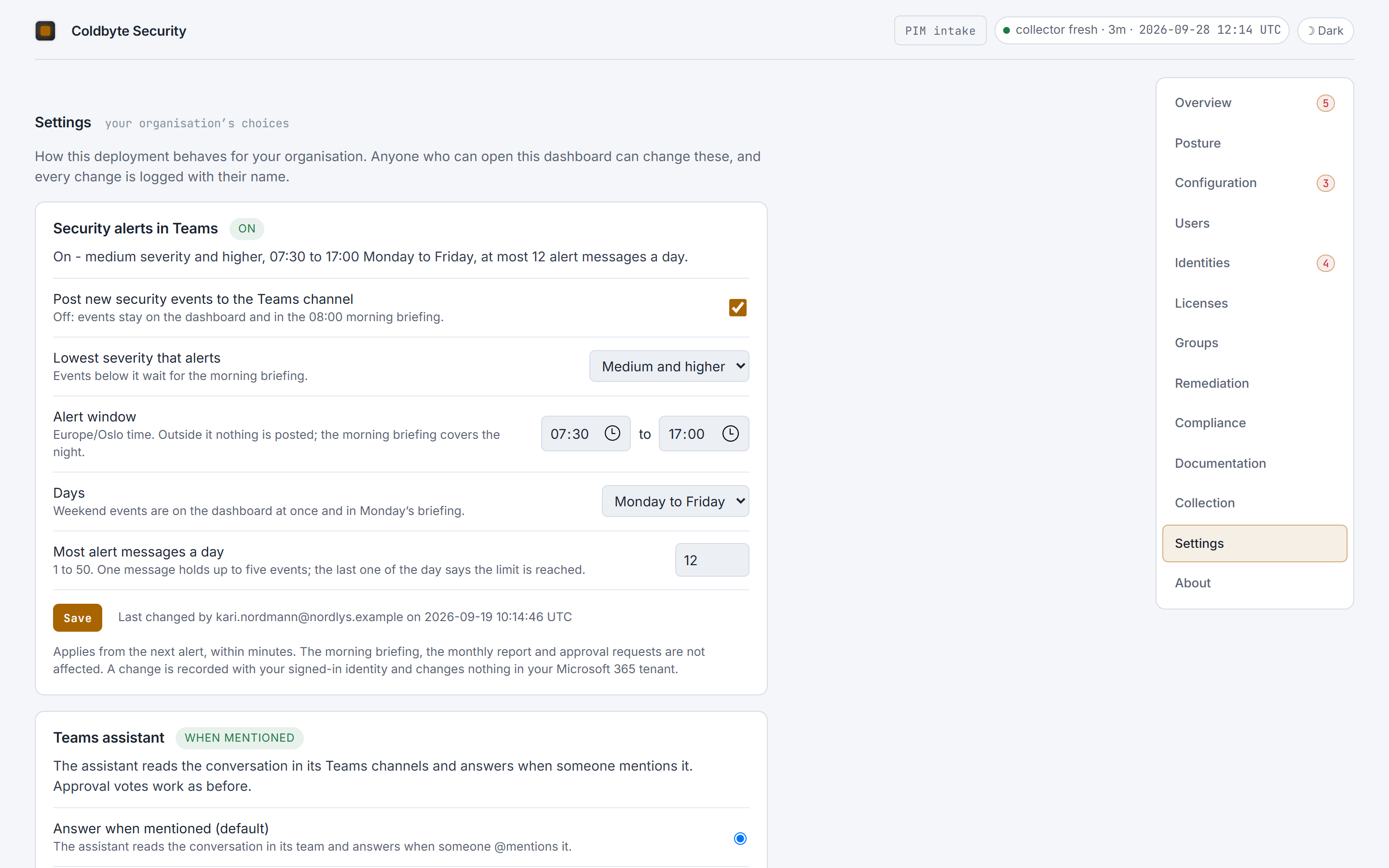
Settings for Teams notifications and assistant behaviour
Investigate and respond

Bring context into the conversation.

ColdByte collects sign-in, audit and application-consent events continuously. Rules filter routine noise before AI investigates relevant activity in the context of your tenant, including the account, application and permissions involved.

A morning briefing and the Teams assistant help your team understand findings without switching between reports. The assistant can answer questions using collected findings and up to 90 days of security history. It operates within its designated team rather than reading unrelated conversations.

Improve with control

Your team approves the changes.

With the Full plan, supported findings connect to prepared remediation packages. Each package first analyses the environment without changing it, backs up affected settings and presents the proposed change for approval in Teams.

Implementation follows approval and includes verification and a recorded execution history. A rejection stops the change; particularly sensitive operations require two approvers. The Read-Only plan provides findings and recommendations for your team to implement.

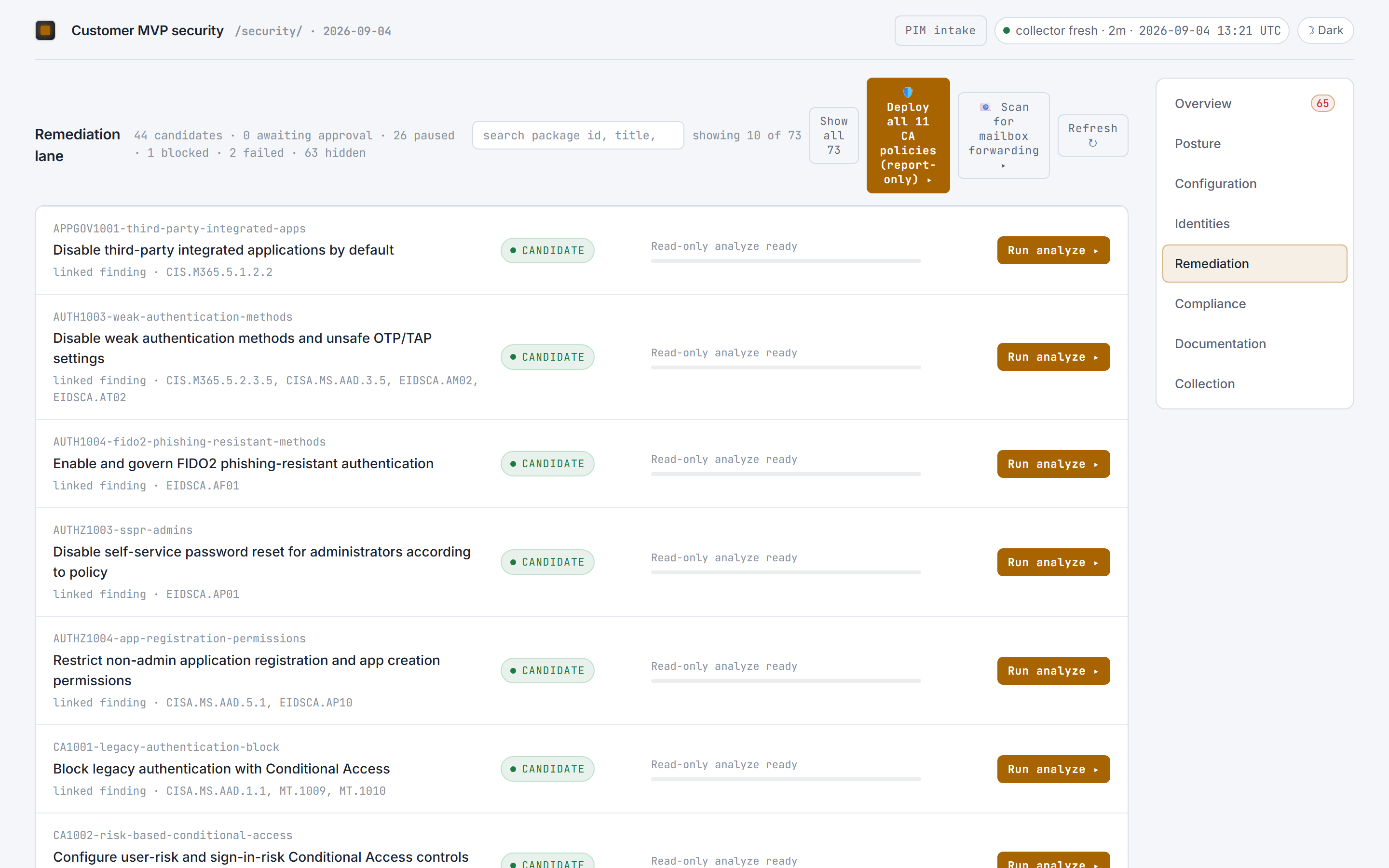
Remediation dashboard showing proposed security fixes
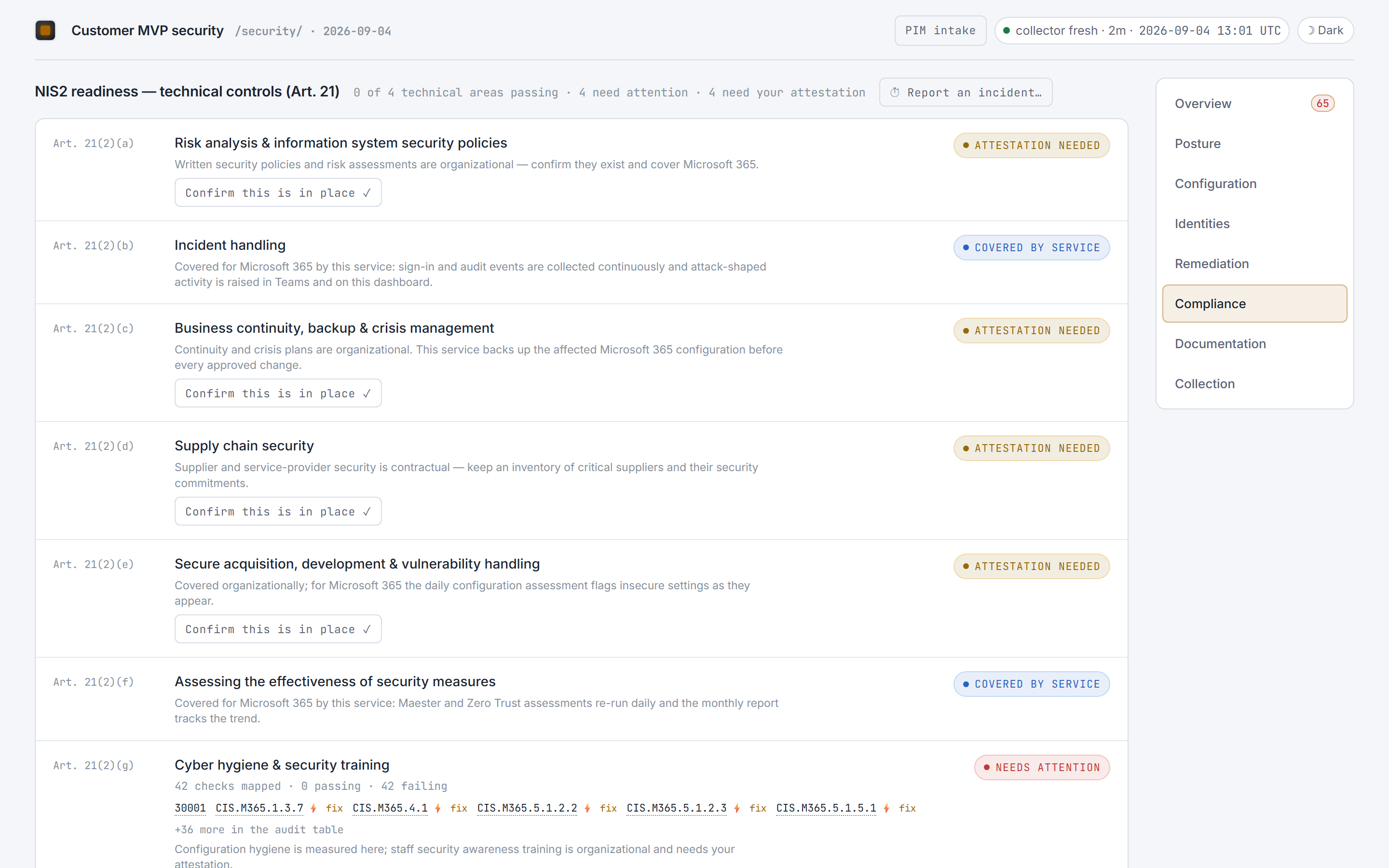
Compliance dashboard mapping technical controls and confirmations
Evidence and ownership

Keep the evidence in your environment.

The service runs in a dedicated deployment within your own Azure subscription. Security collection uses read-only access, while privileged remediation is separated into a temporary worker and requires approval. Users do not need an endpoint agent.

Reporting views connect technical findings with GDPR and NIS2 expectations. They distinguish controls covered by the service from organisational requirements that need your confirmation, supporting reviews without implying automatic compliance.

Features

The capabilities that matter day to day.

Explore the checks, investigations and controls behind the dashboard. Full-plan capabilities are identified below so you can distinguish monitoring and advice from approved changes and extended inventory.

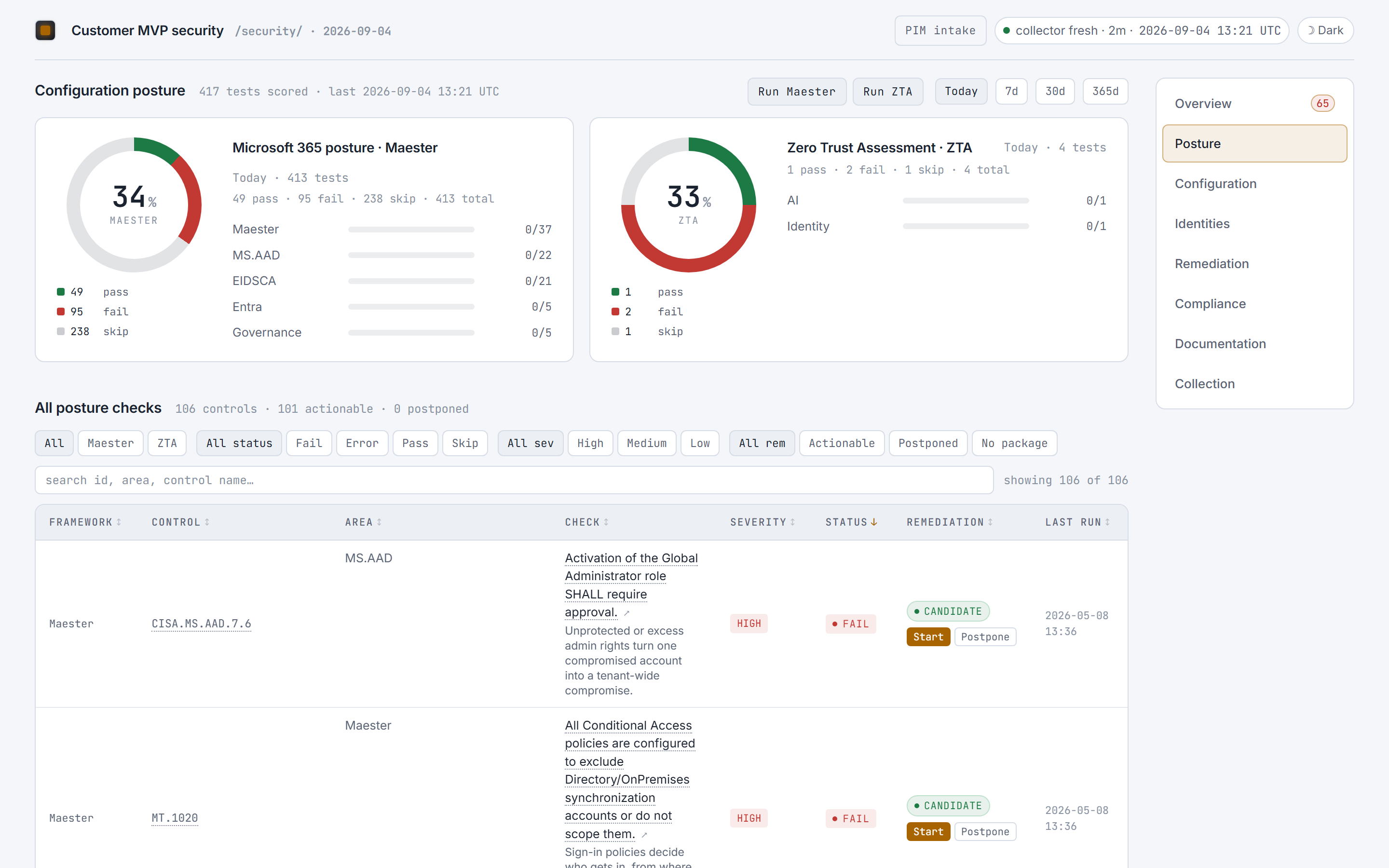
Security posture checks and assessment scores
Daily assessments

Security configuration checks

Maester and Zero Trust Assessment run daily across Entra, Conditional Access, Intune and Exchange. Review scores, trends, severity, pass/fail results and links to supported remediation in a filterable work queue.
Dashboard showing findings and security events
Event investigation

AI-assisted security analysis

Continuous collection of sign-in, audit and consent events gives investigations context. ColdByte explains who acted, which application and permissions were involved, and whether suspicious activity succeeded. Findings are available through the dashboard and Teams.

Teams alert schedules and assistant settings
Teams and notifications

Briefings and answers for your team

Receive morning priorities and ask the assistant about findings or security history. Configure how the assistant participates in its designated team. Full adds working-hours Teams alerts, with configurable severity, schedules and message limits.

Remediation packages and approval workflow
Full plan

Approved remediation

Supported fixes follow analysis, backup, approval, implementation and verification. Approvals are tied to the proposed plan and inputs; sensitive packages need two approvers. Execution is logged, with rollback and pilot options where supported.

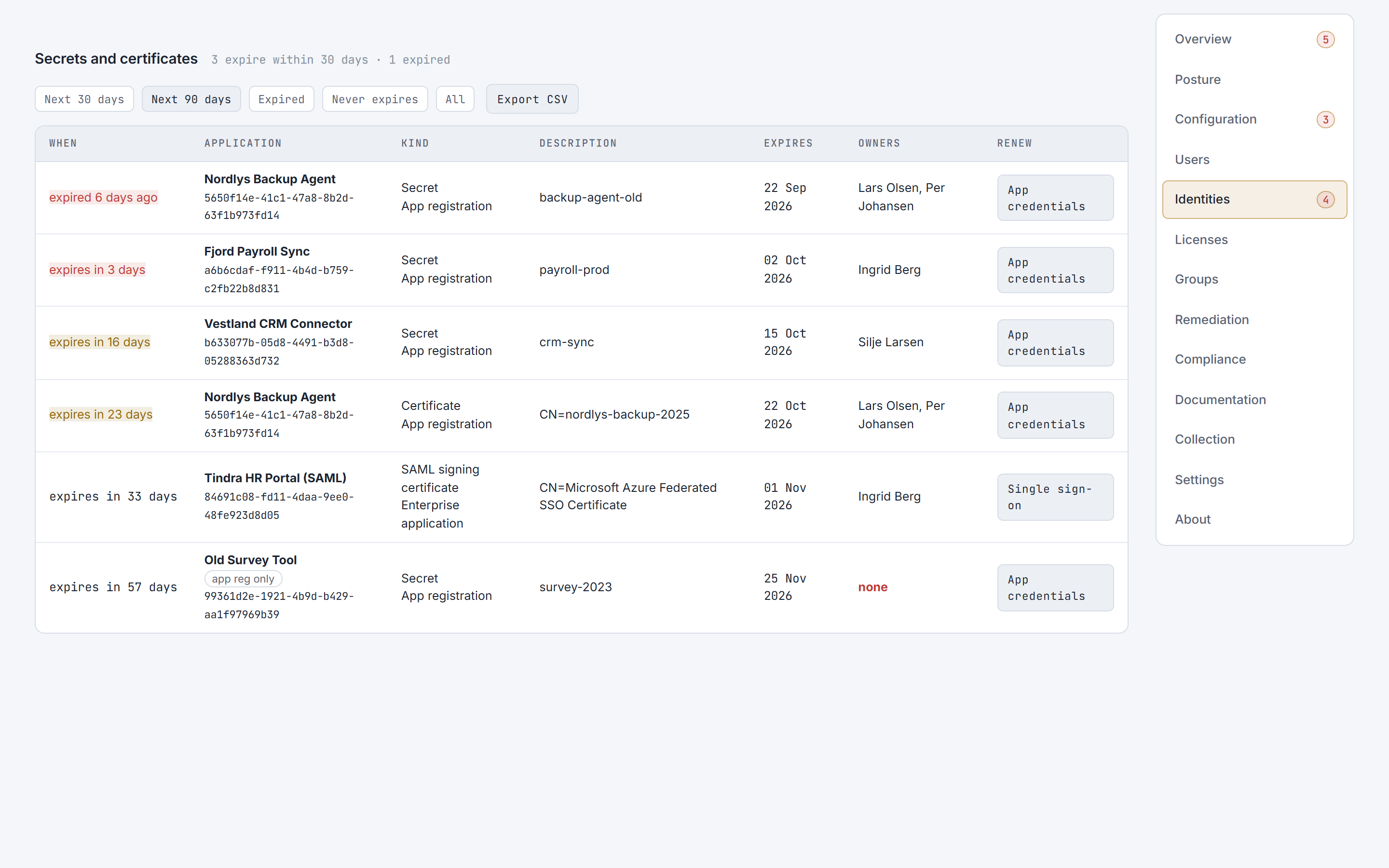
Application credentials with owners and expiry dates
Full plan

Application access and credentials

Review application identities and permissions according to the access they provide. Track application secrets and certificates by expiry date, identify missing owners and see where renewal is needed before credentials expire.

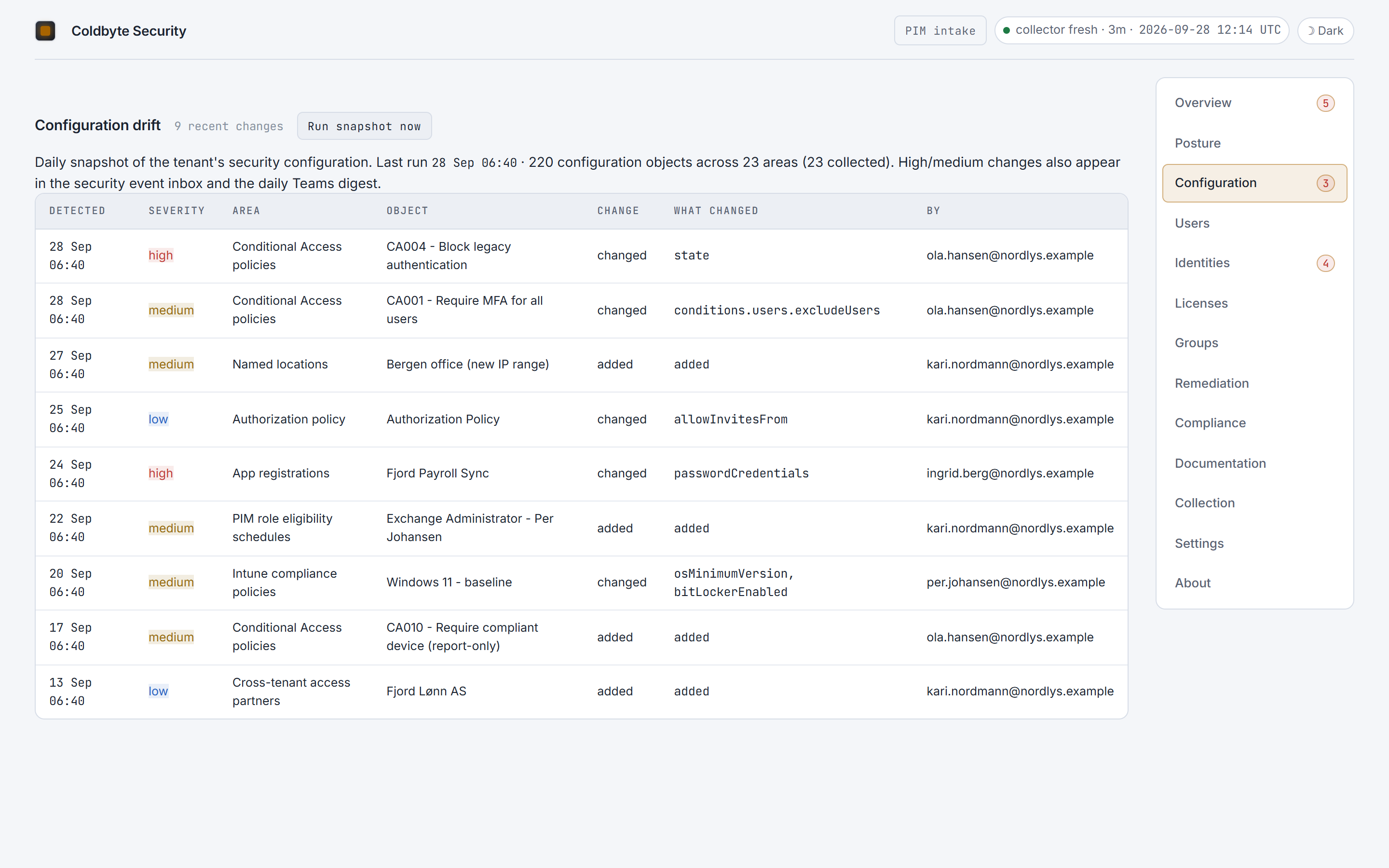
Configuration changes with severity and attribution
Full plan

Configuration changes and drift

Daily snapshots reveal changes to security configuration, including Conditional Access and application settings. Review what changed, who changed it and the associated severity, with AI analysis to help assess the impact.

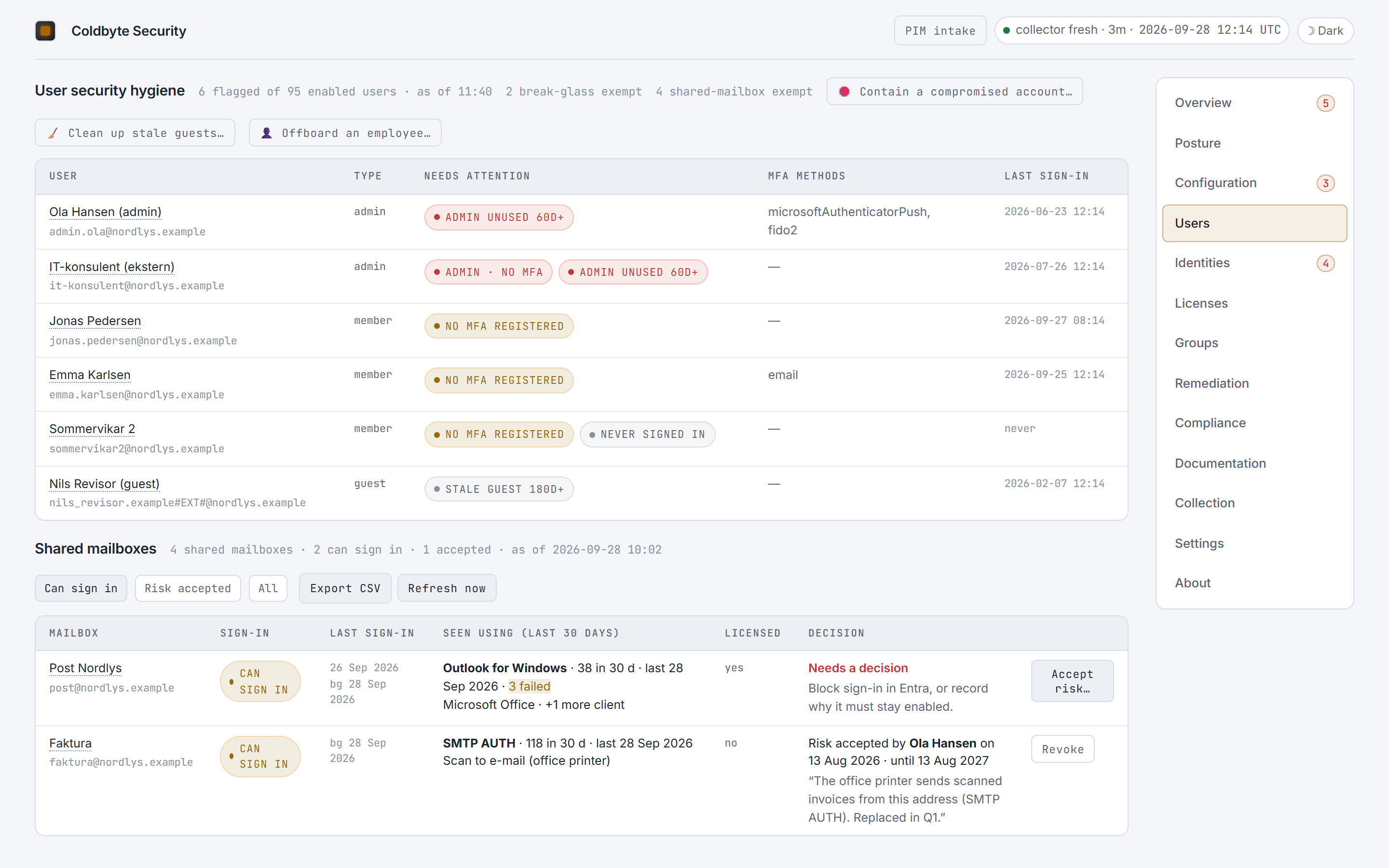
User account review with security issues requiring decisions
Account review

Accounts that need attention

Identify inactive administrator accounts, missing MFA, forgotten guests and shared mailboxes that can still sign in. Full adds group-cleanup candidates and licence inventory trends, helping your team review access and reduce neglected configuration.

NIS2 readiness and technical control coverage
Reporting

Evidence for security reviews

Use reporting views to track technical coverage and outstanding confirmations against GDPR and NIS2 expectations. Keep findings and progress available for discussions with customers, auditors and insurers.

FAQ

A few practical questions.

Where does ColdByte run, and who controls the data?

ColdByte runs as a dedicated deployment in your own Azure subscription. There is no shared ColdByte platform holding a copy of your tenant data. The deployment can be removed when the service ends.

What permissions does the service require?

The ongoing security service uses read-only access with the Global Reader directory role. Approved remediation runs separately in a temporary worker with Exchange Administrator. Neither component uses Global Administrator. The security collector has no permission to read email, files or chats; the Teams assistant operates within its designated team.

Can ColdByte make changes without approval?

No. In the Full plan, supported changes follow analysis, backup, explicit approval, implementation and verification. A rejection stops the change. Particularly sensitive operations require two approvers. A Teams conversation alone does not authorise a change.

What is the difference between Read-Only and Full?

Read-Only provides assessments, monitoring, explanations and recommendations; it cannot change your security settings. Full adds extended inventory, configuration-change analysis and supported remediation approved through Teams. You can upgrade to Full after arranging the additional administrator consent required for remediation. See the Pricing tab for the plan comparison.

Can we control notifications and AI settings?

You can configure how the Teams assistant participates, select the Microsoft-hosted AI model and review estimated Azure spending. Full-plan working-hours alerts have configurable severity thresholds and delivery schedules.

How does setup begin?

Use your Microsoft work login to complete the intake form. Order and payment confirmation come before administrator consent and installation in your Azure subscription. Sending the form alone does not start deployment.

Which expenses are outside the plan?

Microsoft charges separately for Azure resources and AI usage. Microsoft licences and optional integrations are additional costs. Expected deployment expenses can be reviewed before ordering.

Read-Only

$5 / active user / month

Installation: $450 once

  • Daily security checks and monitoring
  • AI explanations of events
  • Morning priorities in Teams
  • Follow-up questions in Teams
  • Private dashboard and reporting

Recommends actions; your team implements them.

Full

$9 / active user / month

Installation: $1,399 once

  • All Read-Only capabilities
  • Change tracking and AI analysis
  • App access and permission reviews
  • Group and licence insights
  • Approved fixes, backups and checks

Approved changes require privileged access.

Clear costs. Prices exclude VAT. Azure consumption is billed separately by Microsoft.

Active users = enabled member accounts.
Guests and disabled accounts are excluded.

Compare Plans

Coldbyte plan capabilities
CapabilityRead-OnlyFull
Event monitoringYesYes
Daily Maester / Zero Trust checksYesYes
AI event analysis and evidenceYesYes
Teams assistant and 08:00 briefingYesYes
Dashboard, trends, monthly reportsYesYes
NIS2 / GDPR reporting viewsYesYes
Daily configuration snapshots and history—Not includedYes
AI change analysis—Not includedYes
App identities, risk and access reviews—Not includedYes
Group cleanup suggestions—Not includedYes
Licence usage trends—Not includedYes
Fixes approved through Teams—Not includedYes
Remediation backups and verification—Not includedYes
Rollback and pilots—Not includedWhere supported
Teams alerts during working hours—Not includedYes