


Identify devices
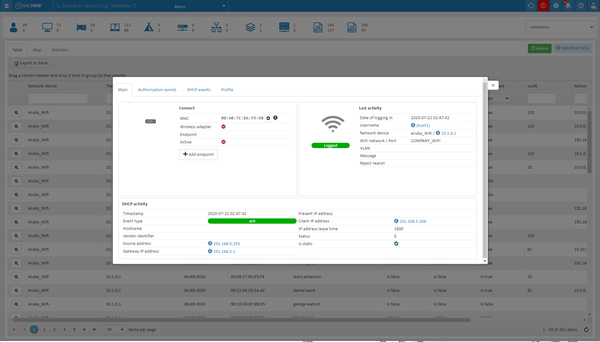
See which endpoint is connected, where it connects and which identity is associated with it.

Control who and what connects to your network. Verify users and devices, apply access policies, and manage wired and wireless access from one place.
NACVIEW identifies users and devices across wired, wireless and VPN connections, checks them against your policies and determines the access they receive. Your team gains a clearer picture of network activity and a practical way to restrict unfamiliar or non-compliant endpoints.
See which endpoint is connected, where it connects and which identity is associated with it.
An employee laptop can reach business resources, while a visitor receives internet-only access under your policy.
An unknown device can enter a restricted network until it has been assessed and authorised.
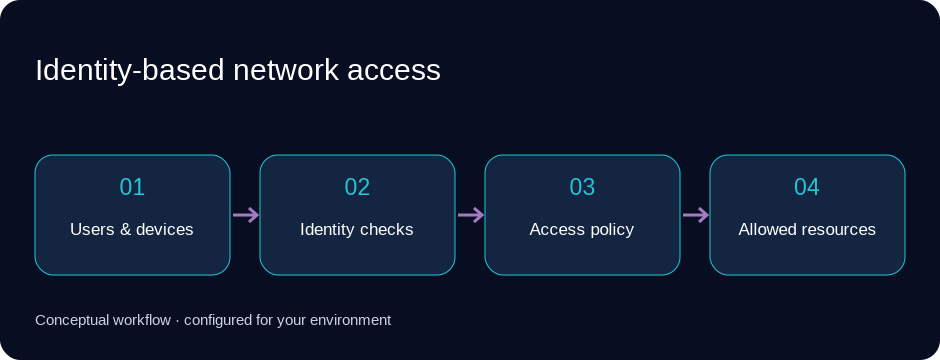
Corporate laptops, personal phones, visitors and IoT equipment have different needs and risks. NACVIEW helps separate these connections into appropriate network segments, limiting access to the resources each group needs. Suspicious or outdated devices can be restricted instead of receiving the same access as trusted equipment.
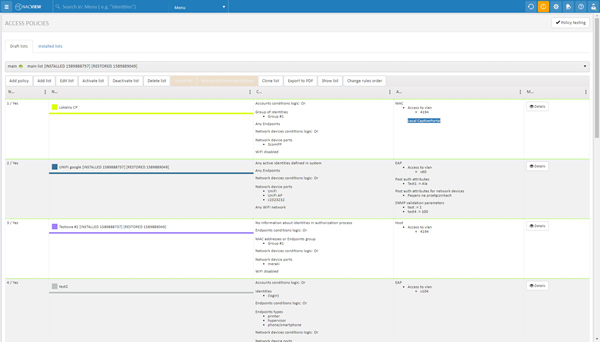
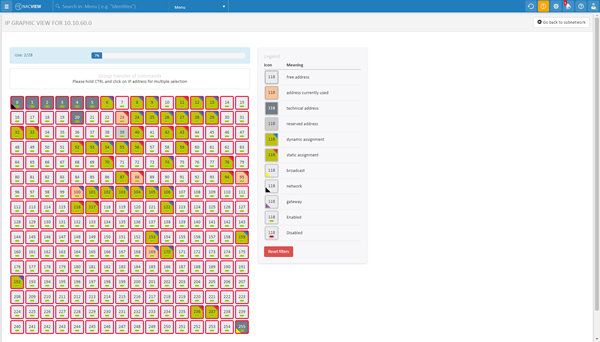
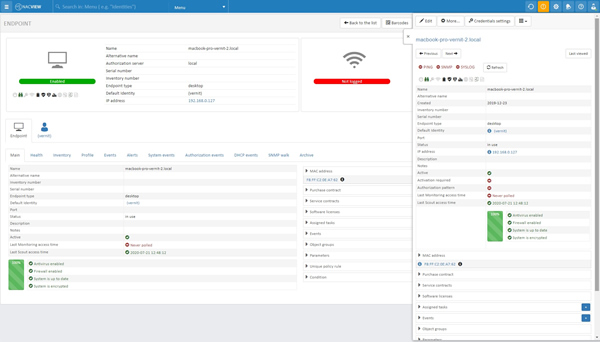
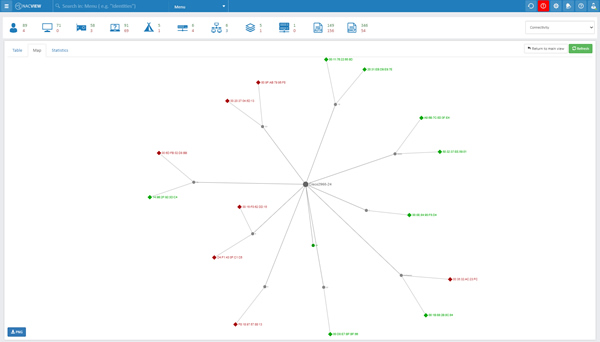
A connection map, device profiles and address information help administrators investigate unknown equipment and network anomalies. Information from identity directories and security tools gives access decisions more context. Integrations can translate a detected threat into a network restriction or quarantine.
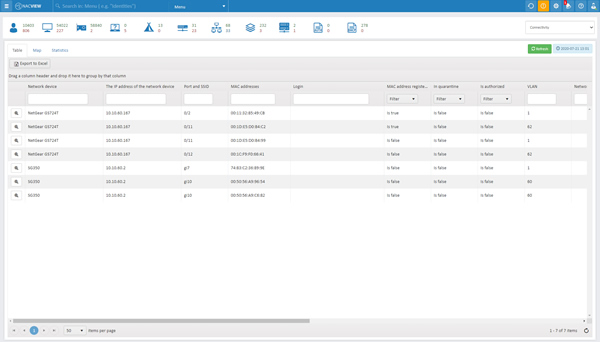
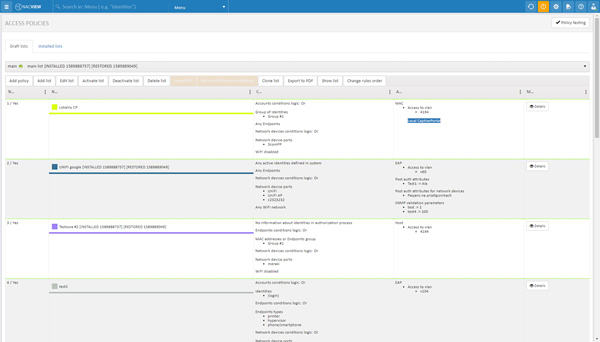
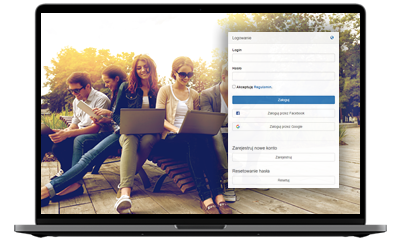
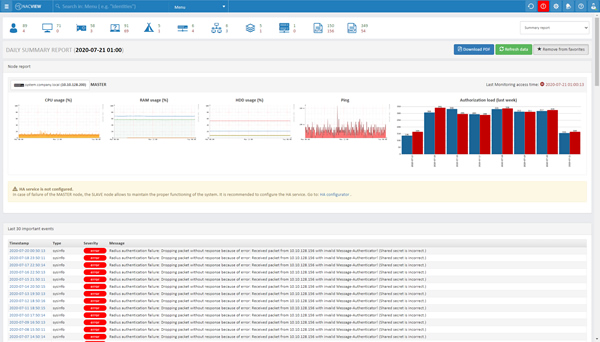
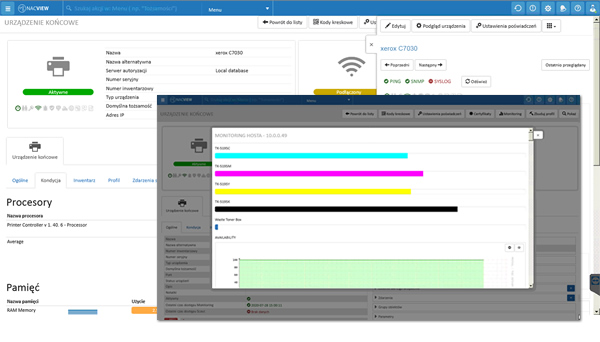
NACVIEW product screenshots; interface appearance varies by version.
Guest registration, BYOD onboarding and policy-based access reduce repetitive configuration work. Employees can receive appropriate access as they move around the organisation, while guest connections remain separate. Built-in DHCP and certificate services can simplify smaller deployments; distributed nodes support more complex environments.
The latest generation introduces a multi-level policy engine, interactive dashboards, a full API and cloud deployment options including Azure and AWS. Sectors let organisations divide assets into administrative areas. These capabilities support a planned rollout aligned with your equipment, identity services and operational requirements.
Start with your network equipment, identity sources and access requirements. Together, we can scope a proposal covering policy design, a pilot, phased rollout and operational handover. The agreed scope will define the integrations and support your organisation needs.
Combine access policies, endpoint visibility and operational tools in one system. Available enforcement depends on network-device support and the integrations configured for your deployment.
Understand connected devices and their condition.
Classify endpoints by device type, operating system and manufacturer using methods such as DHCP fingerprints, DNS and RADIUS. Connection maps and SNMP monitoring help locate devices and examine network activity.
Benefit Locate unfamiliar equipment and investigate where it is connected.
Optional Scout software adds health checks such as antivirus, updates, encryption and firewall status. Use those findings in access decisions. NACVIEW can also operate without installing an agent on every endpoint.
Benefit Base access on device condition, not identity alone.
Apply policies to employees, guests and suspicious connections.
Use 802.1X/EAP, local records and external identity sources to authenticate users and devices. Policies can consider group, device type, location and time, with VLAN and access-list assignment on compatible equipment.
Benefit Apply consistent rules as people and devices move between connections.
Offer guest registration, sponsored access and time-limited accounts through captive portals. NACVIEW Assistant helps configure endpoint network settings. NV3 supports up to five customisable portals for different groups.
Benefit Reduce manual setup while keeping visitor access separate.
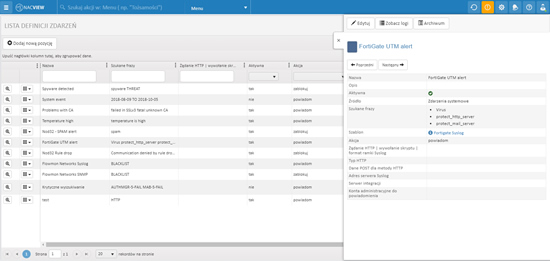
Detect unknown or misconfigured equipment and anomalies such as cloned addresses or port scans. Integrate with firewall, MDM and other security systems to restrict affected endpoints, and send logs to a SIEM.
Benefit Turn security findings into an access response.
Bring administration, network services and automation together.
IPAM helps administrators examine address use and associate IP addresses with endpoints. Built-in DHCP and CA services support addressing and certificate management; external PKI can also be integrated.
Benefit Reduce separate tools for address and certificate administration.
Centralise device-administration authentication and accountability. NACVIEW Authenticator supports one-time passwords for compatible VPN scenarios; NV3 also adds OTP protection for TACACS and additional administrator authentication options.
Benefit Make administrative access more accountable.
Interactive charts help teams examine access patterns and trends. The full API enables automation and integration, while sectors assign groups of assets to dedicated administrators. Improved node updates and notifications support day-to-day operation.
Benefit Reduce manual work and delegate management across larger environments.
The new generation adds a multi-level access-policy engine, interactive dashboards, a full API, cloud installation, delegated sectors and a Rocky Linux foundation. Operational improvements cover directory synchronisation, PKI administration, configurable notifications, and online, offline and distributed updates.
Explore the access challenges, integrations and everyday operations that matter in your sector.
A campus connects students, researchers, employees and visitors alongside laboratory equipment and personal devices. NACVIEW brings these connections into view and applies different access rules without making every new arrival a manual IT task.

Locate connected endpoints and review previous activity to investigate unfamiliar equipment across campus buildings.
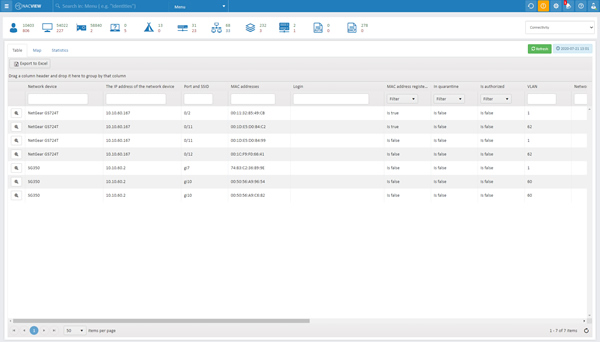
Give students, staff and guests access appropriate to their group, keeping teaching and administrative resources separate.
Support sign-in with Active Directory credentials and connect student or personnel databases to access decisions.
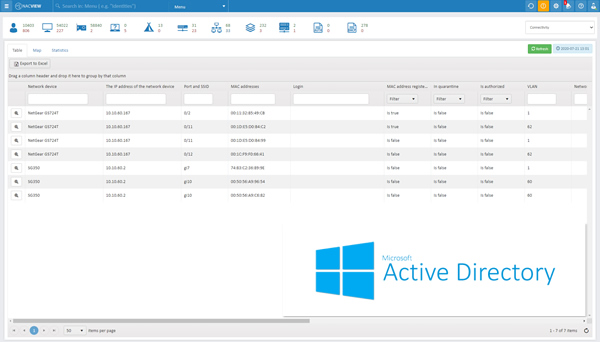
Grant or revoke permissions as enrolment and employment records change, reducing accounts left active after departure.
Support participating users visiting other eduroam institutions, alongside the university’s own access policies.
Use DHCP information to associate an address with a connection at a particular time.
Use integrated threat notifications to trigger policy-based restrictions on potentially compromised endpoints.
Offer captive-portal self-registration and temporary accounts for conferences, visiting lecturers and short-term guests.
Hospitals connect specialist equipment alongside staff computers and patients’ personal devices. These groups need different access boundaries. NACVIEW supports identification, segmentation and access lifecycle management; a deployment should validate policies against clinical workflows before enforcement.

Identify medical endpoints and separate them from other connections, applying policies appropriate to their role.
Integrate personnel records so access follows employment changes rather than relying on separate manual account updates.
Issue temporary credentials during registration, giving patients a managed connection separate from clinical resources.
Integrate hospital information system records to align patient network access with their stay and revoke it after discharge.
A captive portal lets patients register personal devices. Staff BYOD can follow a separate onboarding policy.
Assess operating-system, antivirus, firewall and process status where endpoint monitoring is configured, then apply the relevant access policy.
Public organisations need to serve employees, contractors and visitors across multiple locations. NACVIEW combines role-based access with central visibility, helping teams investigate connections and apply consistent policies around sensitive information.

Use groups and detailed policies to distinguish employees, suppliers and visitors accessing departmental resources.
Exchange security information with other systems and automatically restrict connections that meet defined threat criteria.
Check device health and user context, especially for endpoints reaching sensitive network segments.
Review authorisation, DHCP, TACACS, SNMP and VPN events from distributed infrastructure through a common interface.
Define BYOD access separately so private equipment receives only the connectivity permitted by organisational policy.
Verify printers, displays and sensors before granting access, rather than treating every connected device as trusted.
Use AD or other employee databases to grant access to new starters and revoke it for leavers.
Agentless visibility helps administrators identify connections even when a device has not been registered in advance.
Factories combine office IT, production systems and visiting maintenance teams. Some industrial endpoints cannot use 802.1X. NACVIEW supports alternative validation and segmentation, with enforcement planned and tested around the requirements of production-critical equipment.

Inspect CPU, memory and port utilisation to identify infrastructure issues during operational troubleshooting.
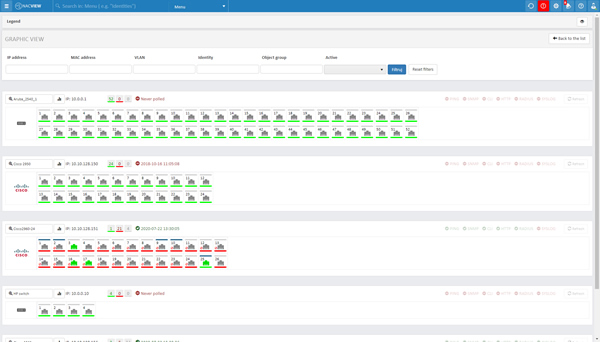
Use signals from firewall, SIEM or UTM systems to trigger notifications and policy-based restrictions on suspect endpoints.
Use MAC-based authentication with additional validation for industrial equipment that lacks a supplicant.
Review current and historical configurations to investigate changes and locate errors affecting network behaviour.
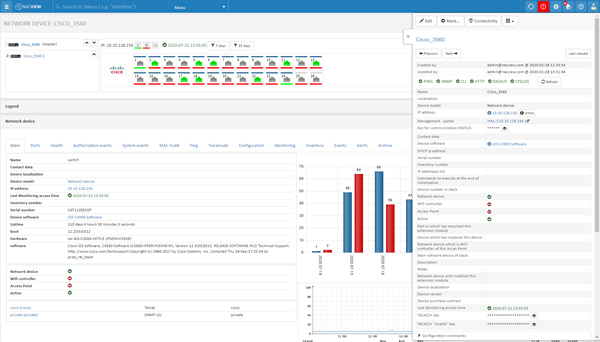
Keep device records, event histories and tasks together, including support and service-contract information.
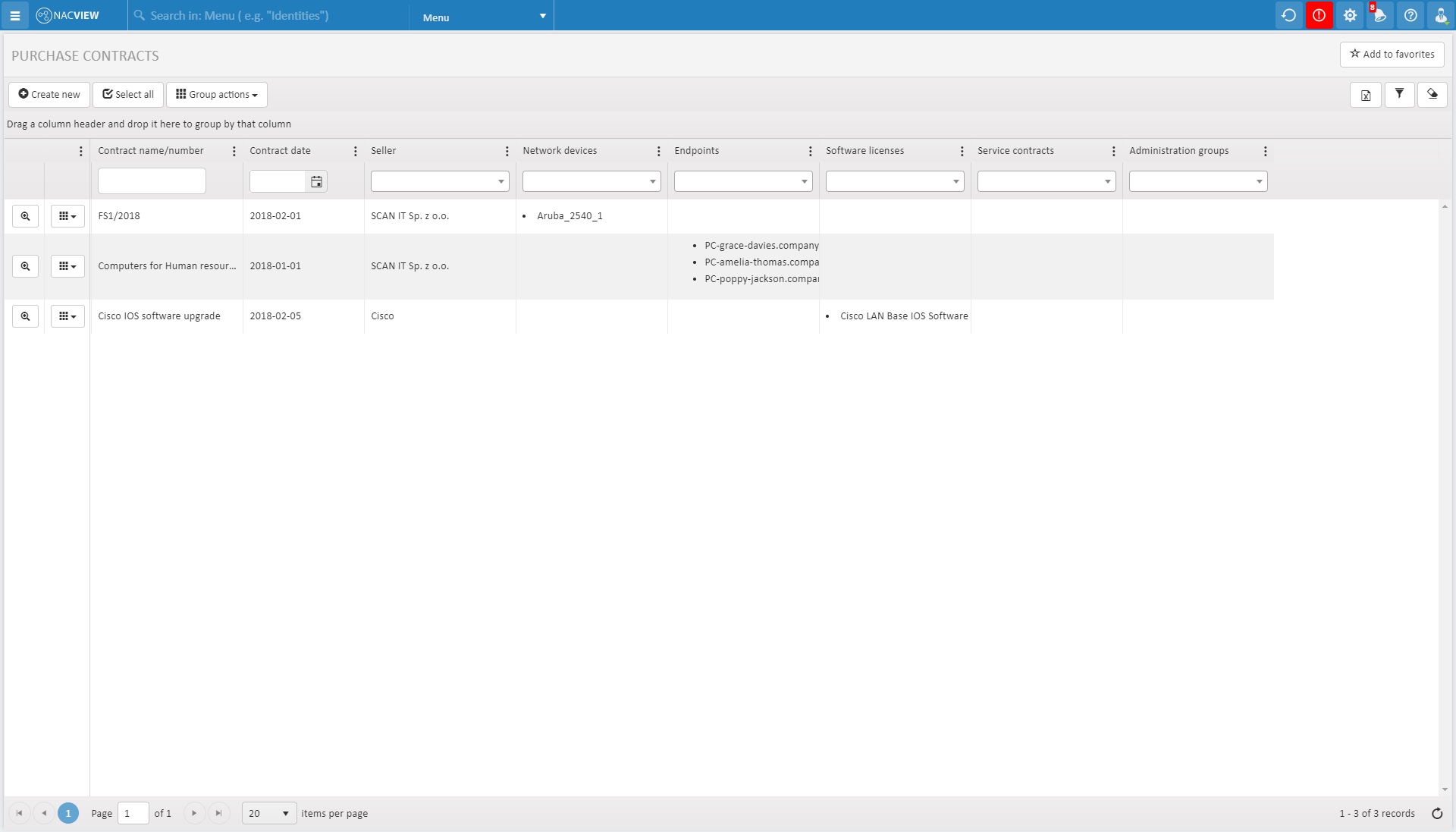
Assign devices to defined network areas and scope technician access to the systems they need to maintain.
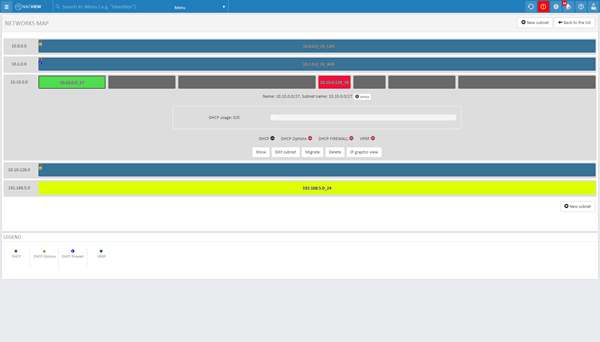
Enterprise and service organisations need convenient connectivity without losing visibility of the devices handling business information. NACVIEW links device condition, identity and guest approval to access decisions, while supporting everyday network administration.

Check software updates, antivirus, firewall and running processes where endpoint monitoring is enabled. Use the results to decide whether a connection meets policy.
Configure access parameters for compatible VPN services so remote employees can connect to the resources required for their work.
A captive portal collects visitor details and acceptance of terms, then requests approval from an employee before access is granted.
Use device ownership, operating-system and application information from an integrated management system to inform BYOD policies.
Track consumable levels and notify administrators before replacements are needed, helping teams plan routine maintenance.
Not necessarily. NACVIEW is vendor-independent, but functionality depends on equipment capabilities. Deployment requires at least one managed switch. VLANs, 802.1X/MAB with external RADIUS, Change of Authorization and SNMP are important compatibility checks.
No. Core operation can be agentless. Scout adds endpoint-health information when you need access decisions based on local security checks.
Options include a virtual appliance or a hardware appliance. VMware and Hyper-V are standard virtualisation options; other platforms can be assessed. NV3 also supports cloud installations such as AWS and Azure.
The vendor describes a 60-day full-function evaluation and a separate free NV-20 licence for up to 20 simultaneously authorised endpoints. Ask Nordma which option fits your assessment and to confirm current terms.
Capacity is based on devices concurrently authenticated and connected, rather than every device ever recorded. Include expected busy periods when estimating the required licence.
Yes. You may exceed your licensed capacity during two months within a rolling five-month monitoring period. If usage exceeds the purchased capacity in three of those five months, the system notifies the administrator that a larger licence is needed.
Choose an annual subscription with support, a perpetual licence with support, or a multi-tenant perpetual arrangement with support charges based on the actual licences generated. Nordma can help confirm which model fits your deployment.
NACVIEW licensing includes the available functionality, with capacity based on concurrently authorised and connected endpoints. Published commercial tiers start at 100 devices and extend to 100,000; larger requirements are quoted individually.
An annual subscription includes support. Nordma can help match the endpoint tier and deployment scope to your requirements.
A perpetual licence is available, with first-year support purchase required. Ongoing support arrangements should be included in the proposal.
Support included.
| Part number | Endpoints* |
|---|---|
| NV-100-VM-AS | 100 |
| NV-150-VM-AS | 150 |
| NV-200-VM-AS | 200 |
| NV-250-VM-AS | 250 |
| NV-300-VM-AS | 300 |
| NV-400-VM-AS | 400 |
| NV-500-VM-AS | 500 |
| NV-600-VM-AS | 600 |
| NV-700-VM-AS | 700 |
| NV-800-VM-AS | 800 |
| NV-900-VM-AS | 900 |
| NV-1000-VM-AS | 1,000 |
| NV-1250-VM-AS | 1,250 |
| NV-1500-VM-AS | 1,500 |
| NV-1750-VM-AS | 1,750 |
| NV-2000-VM-AS | 2,000 |
| NV-2500-VM-AS | 2,500 |
| NV-3K-VM-AS | 3,000 |
| NV-4K-VM-AS | 4,000 |
| NV-5K-VM-AS | 5,000 |
| NV-6K-VM-AS | 6,000 |
| NV-7K-VM-AS | 7,000 |
| NV-8K-VM-AS | 8,000 |
| NV-9K-VM-AS | 9,000 |
| NV-10K-VM-AS | 10,000 |
| NV-12,5K-VM-AS | 12,500 |
| NV-15K-VM-AS | 15,000 |
| NV-17,5K-VM-AS | 17,500 |
| NV-20K-VM-AS | 20,000 |
| NV-25K-VM-AS | 25,000 |
| NV-30K-VM-AS | 30,000 |
| NV-35K-VM-AS | 35,000 |
| NV-40K-VM-AS | 40,000 |
| NV-45K-VM-AS | 45,000 |
| NV-50K-VM-AS | 50,000 |
| NV-60K-VM-AS | 60,000 |
| NV-70K-VM-AS | 70,000 |
| NV-80K-VM-AS | 80,000 |
| NV-90K-VM-AS | 90,000 |
| NV-100K-VM-AS | 100,000 |
First-year support purchase required.
| Part number | Endpoints* |
|---|---|
| NV-100-VM | 100 |
| NV-150-VM | 150 |
| NV-200-VM | 200 |
| NV-250-VM | 250 |
| NV-300-VM | 300 |
| NV-400-VM | 400 |
| NV-500-VM | 500 |
| NV-600-VM | 600 |
| NV-700-VM | 700 |
| NV-800-VM | 800 |
| NV-900-VM | 900 |
| NV-1000-VM | 1,000 |
| NV-1250-VM | 1,250 |
| NV-1500-VM | 1,500 |
| NV-1750-VM | 1,750 |
| NV-2000-VM | 2,000 |
| NV-2500-VM | 2,500 |
| NV-3K-VM | 3,000 |
| NV-4K-VM | 4,000 |
| NV-5K-VM | 5,000 |
| NV-6K-VM | 6,000 |
| NV-7K-VM | 7,000 |
| NV-8K-VM | 8,000 |
| NV-9K-VM | 9,000 |
| NV-10K-VM | 10,000 |
| NV-12,5K-VM | 12,500 |
| NV-15K-VM | 15,000 |
| NV-17,5K-VM | 17,500 |
| NV-20K-VM | 20,000 |
| NV-25K-VM | 25,000 |
| NV-30K-VM | 30,000 |
| NV-35K-VM | 35,000 |
| NV-40K-VM | 40,000 |
| NV-45K-VM | 45,000 |
| NV-50K-VM | 50,000 |
| NV-60K-VM | 60,000 |
| NV-70K-VM | 70,000 |
| NV-80K-VM | 80,000 |
| NV-90K-VM | 90,000 |
| NV-100K-VM | 100,000 |
* Endpoints are devices currently authorised and logged in to the network. For capacity above 100,000 devices, request an individual quotation.
The published offer includes master/slave high availability, distributed deployment, Scout access, Assistant and Authenticator. Infrastructure and implementation requirements still need to be scoped for your environment.
Tell us your expected concurrent endpoint count, locations, network vendors, identity sources and preferred deployment platform. We will help scope licensing, implementation and support. Ask about multi-tenant licensing where relevant.