

Welcome guests
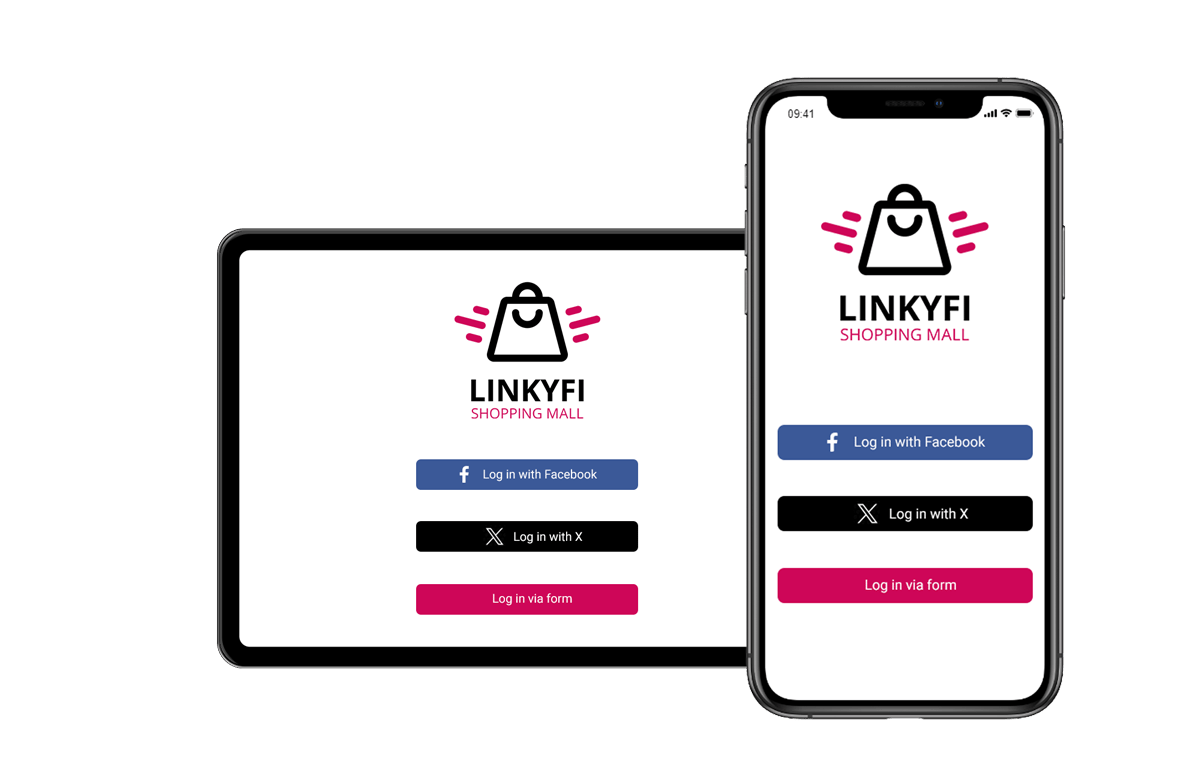
Configure portal screens, forms and access settings. Offer email, social, Google or questionnaire login, with two-factor authentication where configured.

Linkyfi is a guest WiFi management and marketing platform that connects the experience of visiting a physical venue with digital insight. It helps organisations provide internet access, understand visitor behaviour and continue customer relationships after a visit.
Its location capabilities use observations from WiFi-enabled devices to build an aggregated picture of activity: where visitors go, how long they stay and how often they return. Guests who sign in can also provide contact details and other information for more personalised engagement.
Those insights support operational decisions as well as marketing. Compare locations, review busy areas, position promotions and assess which spaces attract attention. Login and landing pages offer advertising opportunities for your own brand or tenants, while campaigns create another way to reach customers.
Location services can also support indoor navigation, occupancy analysis and information about popular visiting times. Scope the available data and measurement coverage for your network; analytics should inform decisions rather than be treated as a complete count of every visitor.
Configure portal screens, forms and access settings. Offer email, social, Google or questionnaire login, with two-factor authentication where configured.
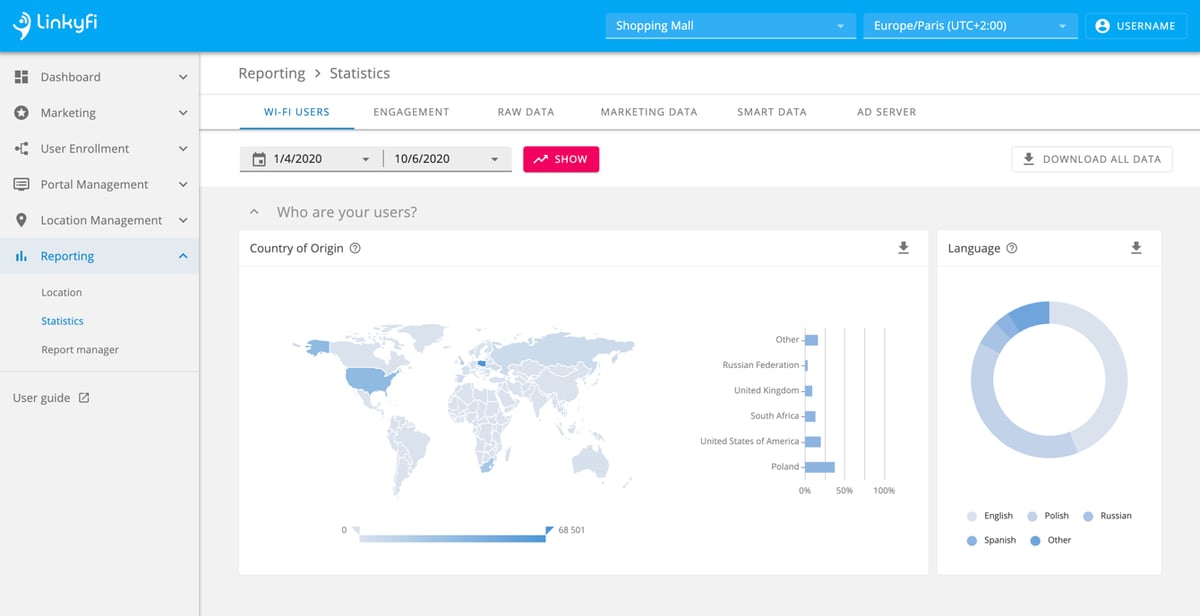
Review demographic, location, engagement and retention insights. Machine-learning analysis helps reveal behaviour patterns; available information depends on collection and configuration.
Use live and historical insights for personalised email, SMS and coupon campaigns aimed at new or returning guests.
Arrange login pages and data-collection steps using drag-and-drop tools.
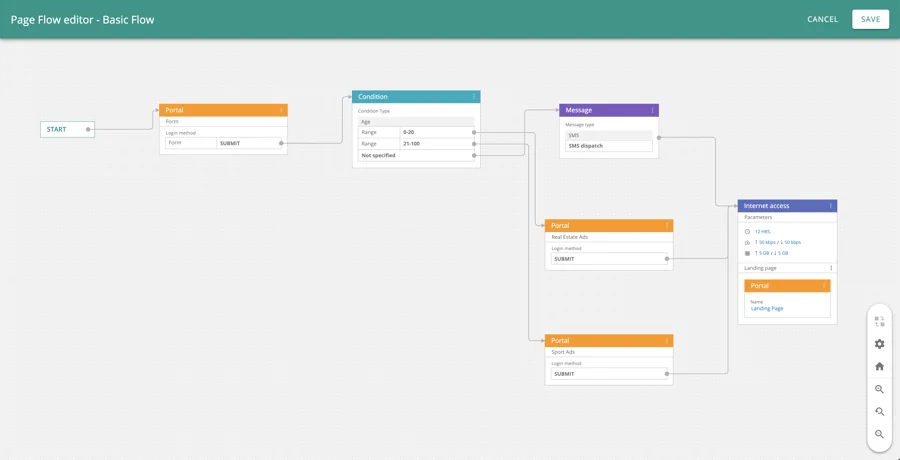
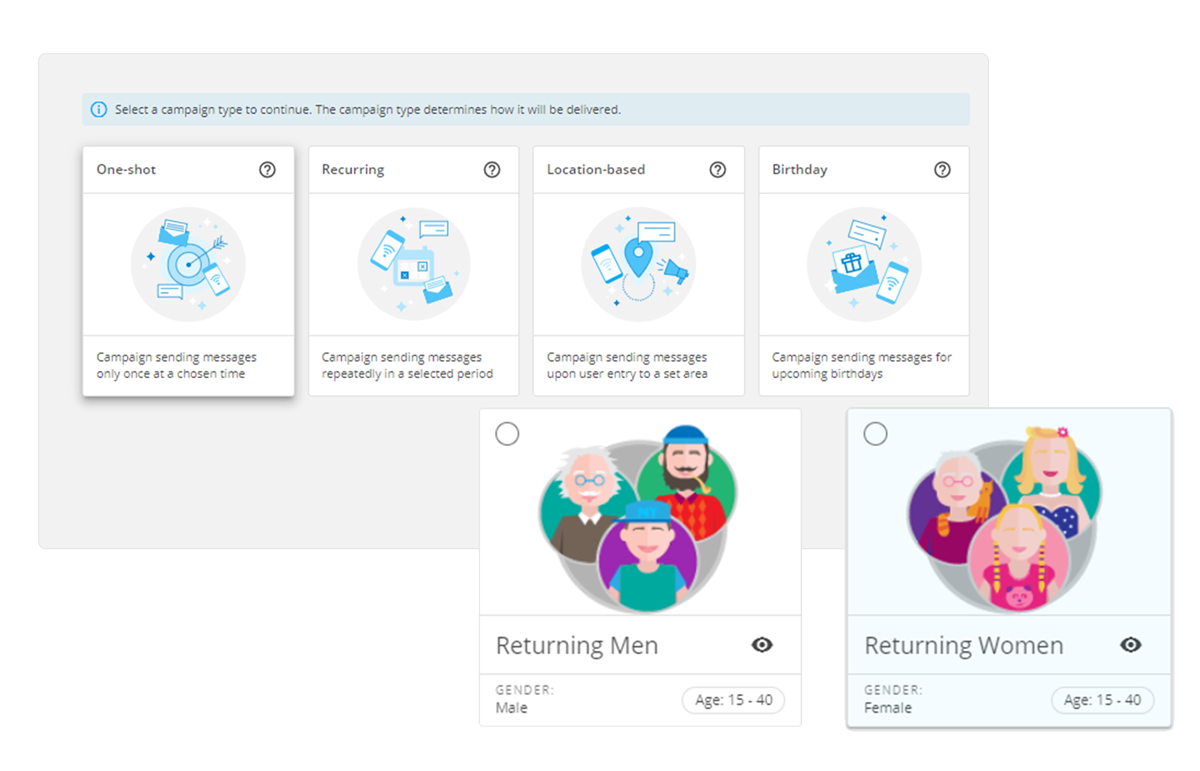
Plan one-off, recurring or timed offers, alongside your own brand promotions.
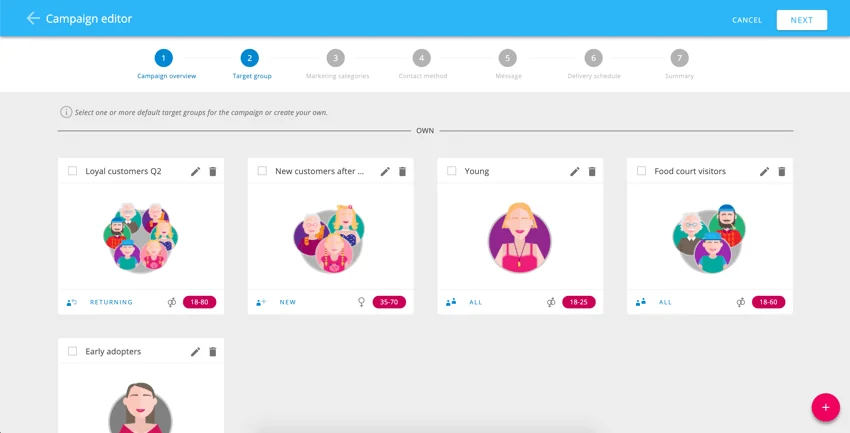
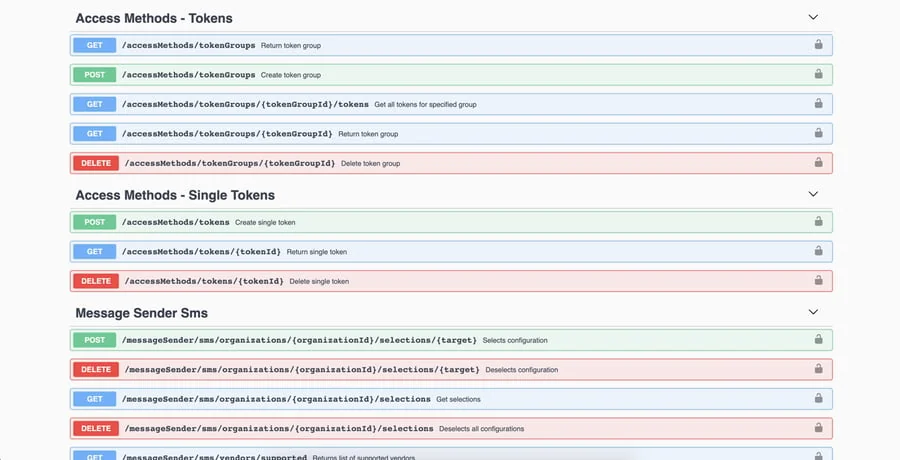
Swagger-documented APIs support organisation and device management through SBI, and customer-data exchange with CRM systems through NBI. Integrations can support heat maps and traffic-flow analysis.
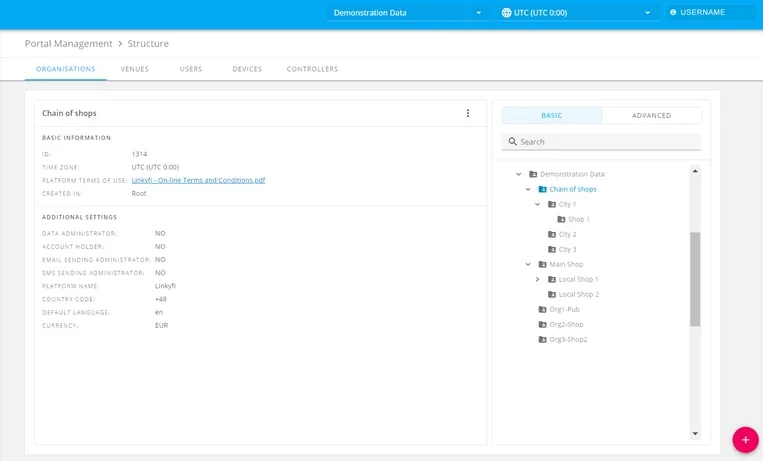
Manage geographically distributed sites and subsidiaries. AVSystem describes support without limits on tenant or user-account counts.
Start with a concrete question: do you want an easier guest connection, a better understanding of footfall, or a way to invite customers back? Define the portal journey, data requirements and campaign ownership around that goal. Nordma can then scope compatibility, integrations and operational responsibilities with you.
Request a demoSelect an industry to explore the guest journey and the opportunities for your team.
A guest connection is part of the shopping experience. Linkyfi combines managed WiFi with visitor insight and marketing, giving retail teams a way to connect what happens during a visit with the relationship that continues afterwards.
Start with two separate questions: what should the shopper gain from connecting, and what does the store want to improve? Keeping both in view helps create a service that is useful to customers and gives the team a clear purpose for collecting and reviewing information.
For shoppers, the value starts with a convenient connection during their visit and access options that suit how they use the service.
Linkyfi supports free guest connectivity across smaller retail chains and supermarket franchises. Shoppers can connect during their visit, while the retailer manages how that access is provided.
Think about the moments when a connection is most useful: checking a shopping list, looking up a product or staying in touch while taking a break. The sign-in experience should make those everyday tasks easy. A clear explanation of how to connect is just as important as making the network available.
Retailers can offer improved access in exchange for additional information at sign-in. This creates a choice in the guest journey rather than treating every connection in exactly the same way.
Make that choice understandable before asking the shopper to complete a form. Explain what changes between the available options and ask only for information that has a defined use. A considered access journey gives the shopper a reason to participate and helps the store avoid collecting details simply because it can.
For retail teams, the value lies in understanding visits and using that insight to improve the store experience, tailor promotions and encourage customers to return.
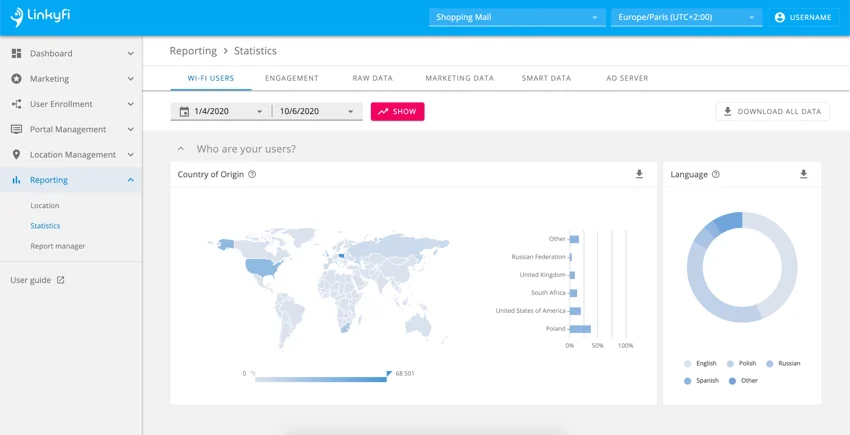
Linkyfi uses machine-learning analysis and available demographic information, including age and gender, alongside engagement and return rates to help retailers understand their audience.
Use this as a starting point for better questions about the store. Is the experience designed for the people who visit regularly? Are occasional visitors responding to the same offers? Agree which audience matters for a particular activity, then review the results in that context. A useful customer profile should guide a decision, rather than remain a chart in a report.
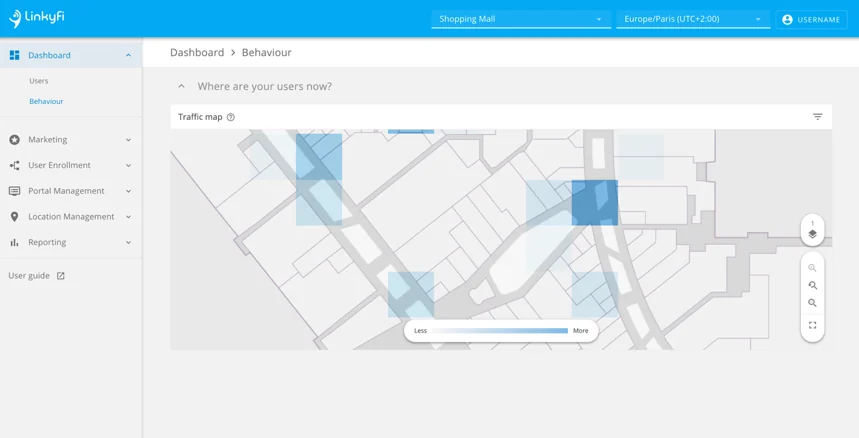
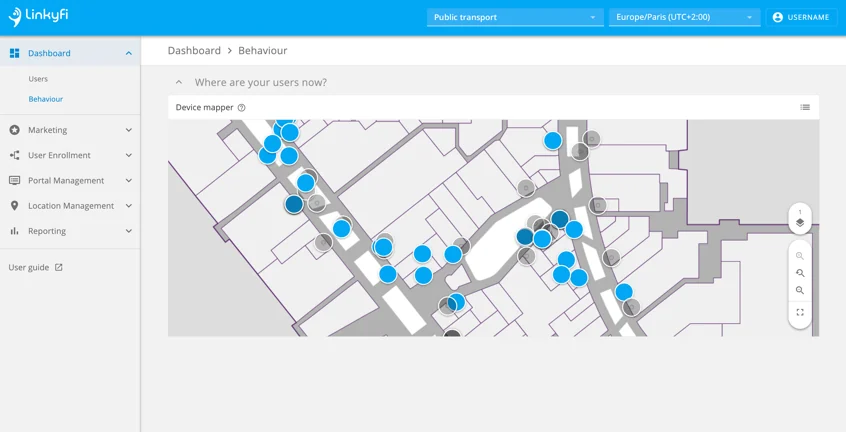
The location engine shows movement patterns and popular areas, supporting decisions about congestion, promotions and shopping routes.
A practical review begins with a specific part of the store and a question about how it is used. Before changing a display or reorganising a route, record what you expect the change to achieve. Review the result over a comparable period and discuss it with the people working on the shop floor. Their observations give the data useful operational context.
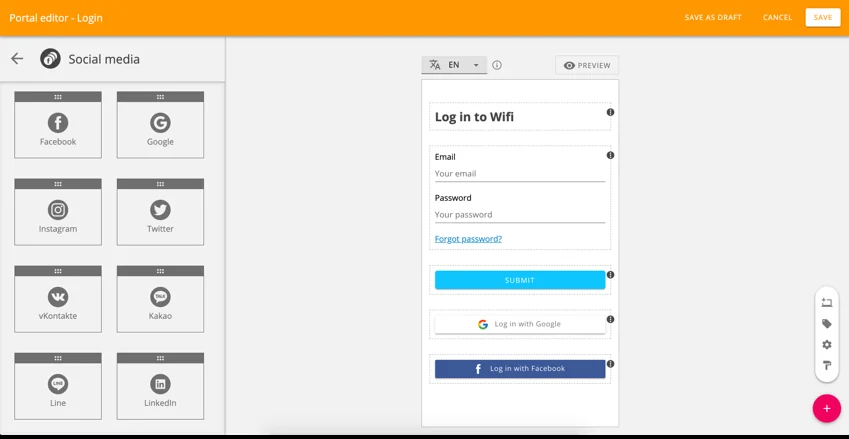
Portal and landing-page editors let retailers shape sign-in, request customer information and present offers or coupons after connection.
Treat these as consecutive moments in one experience. The first screen should explain the connection clearly; the next should give the shopper something worth their attention. Choose a message that fits the visit and make the next step easy to understand. A focused offer is easier to act on than a page competing with several unrelated messages.
Customer details and the marketing engine support personalised communication during and after visits, including loyalty offers and invitations for customers who have stopped returning.
Plan the relationship beyond a single promotion. Decide why a customer would welcome the message, what action it invites and how the team will judge its usefulness. A thank-you for a regular shopper and an invitation to rediscover the store serve different purposes. Write each around that purpose instead of sending the same offer to everyone.
For example, choose one location and a single goal: improving the login experience or measuring engagement with a return-visit offer. Agree which data is needed, who reviews the results and what would justify extending the rollout.
Shoppers expect a connection, while operators and tenants need to understand and reach the people visiting their venue. Linkyfi brings these interests together through guest access, location insight and marketing tools, making WiFi part of the experience and the business behind it.
Dwell time, movement and visit frequency help explain how the centre is used. Linkyfi brings these observations into business decisions about space, tenant management and promotion.
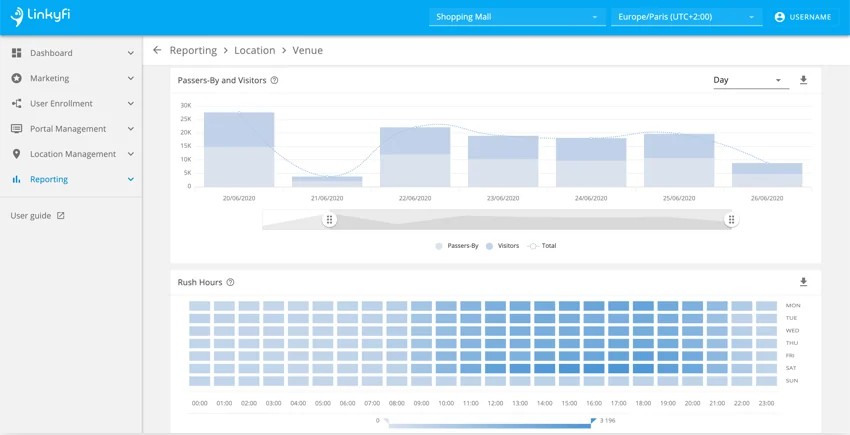
Define areas on the venue map and compare where visitors spend time. Identify stronger and weaker locations, inform the tenant mix and use evidence about popular spaces when considering premium placement.
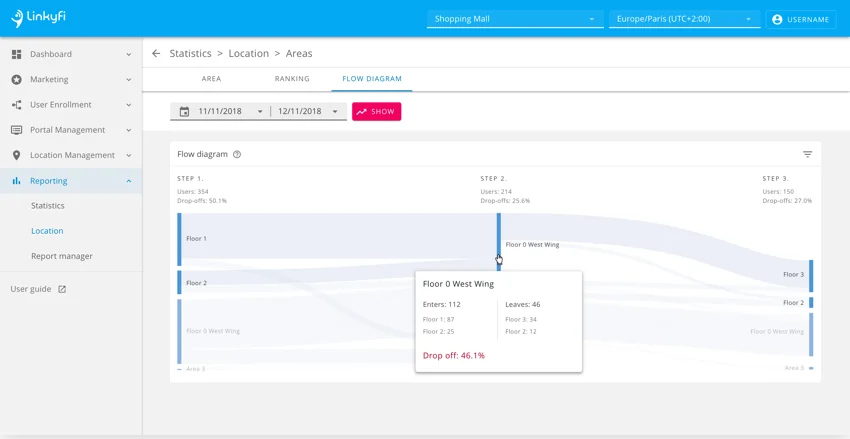
Location information reveals how people move through the centre. Use those patterns to reconsider routes, direct footfall, allocate space and improve the journey between different parts of the shopping mall.
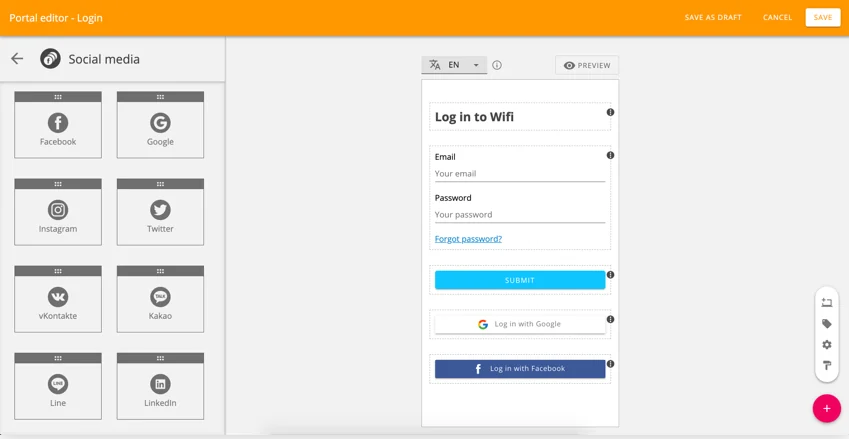
Customised WiFi portals create another place to present your brand. Combine this space with targeted email campaigns from the marketing engine to continue communicating beyond the welcome screen.
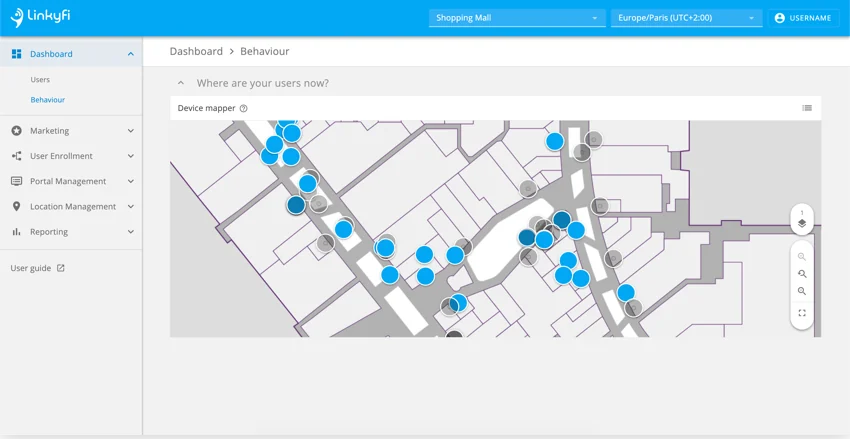
Bring malls and tenants together in one dashboard and group them by the attributes that matter to your organisation. Apply settings to selected groups, then review results for individual tenants alongside the performance of the group.
WiFi login and landing pages provide advertising space within the shopping visit. The visual journey editor supports page design, visitor-information forms and access settings. Guests can sign in through social accounts, email, Google or questionnaires, with two-factor authentication available. The same journey can welcome visitors and introduce tenant offers as part of their time in the centre.
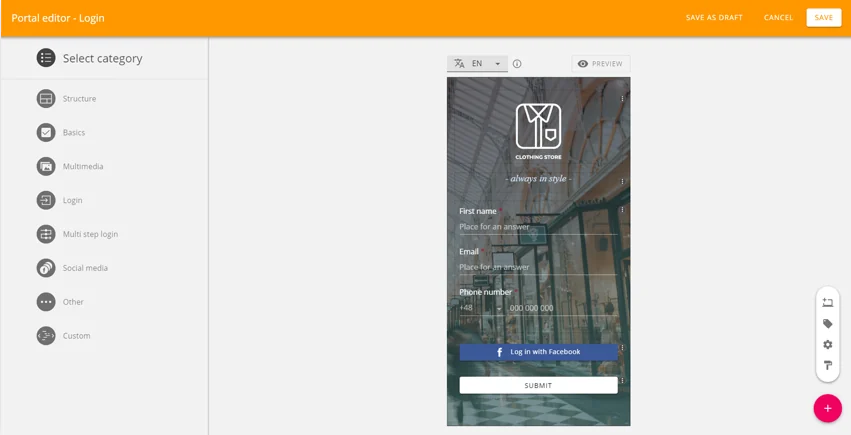
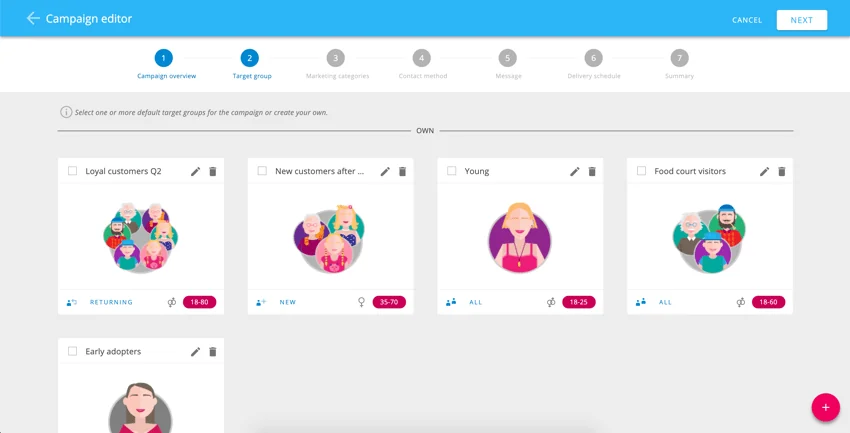
Visitor information and behaviour help build a clearer picture of the audience reached by tenant promotions. Available demographics, location, engagement and return-visit insights support that understanding, with machine-learning analysis adding behavioural context. Use the marketing engine to address relevant groups, connecting the audience present in the centre with communications that can continue beyond an individual visit.

Offer a basic free connection or additional access when a guest chooses to provide more information. Different service levels can reward premium customers with extra bandwidth or longer sessions, giving the centre flexibility in how it provides guest connectivity.

Location-based indoor navigation can help guests reach a particular shop or find their parked car. It makes the connection useful throughout the visit, supporting the journey through the centre as well as the time spent in an individual store.
Linkyfi brings guest connectivity, customer insight and marketing together for restaurants and coffee shops.
A good digital welcome should feel like part of the venue. Start with what your guests need during their visit, then consider how the connection can support a longer relationship. The sections below cover both the opportunities for your team and the everyday decisions involved in running the service.
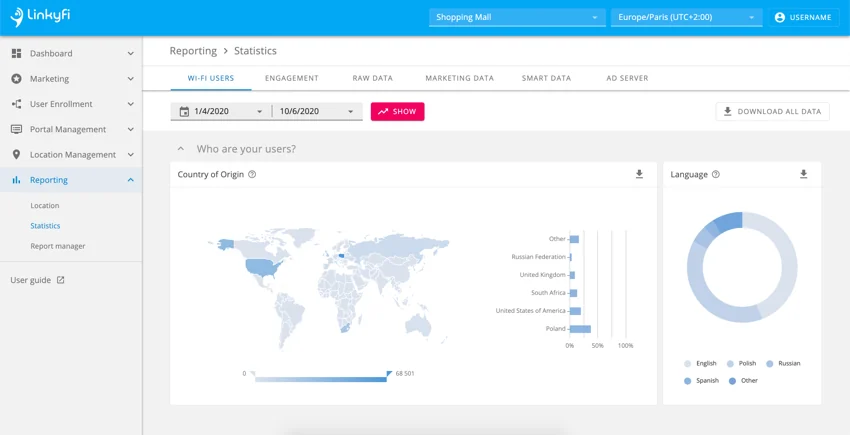
Linkyfi presents anonymous device observations, visit frequency and available demographic insights in a dashboard. Observations can include devices that have not joined the network.
For a restaurant team, the useful question is what to do with that view. Choose a period that represents normal trading, then discuss the patterns with staff who know the venue. A weekday lunch service and a weekend evening have different purposes. Read the information in that context before deciding whether to change an offer or the way you welcome guests.
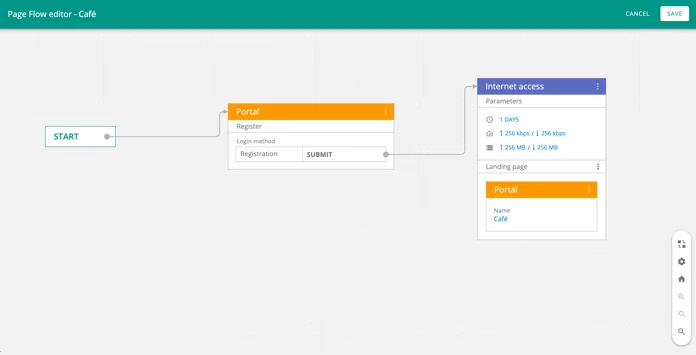
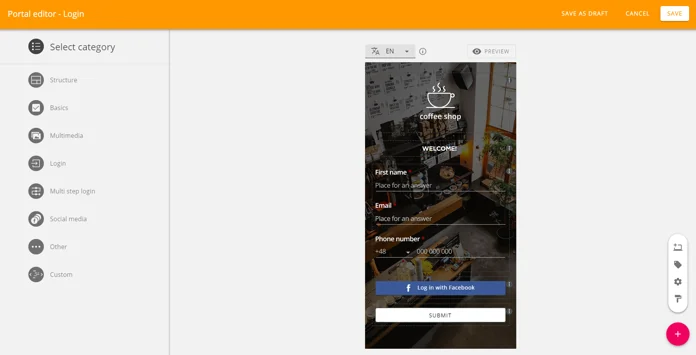
The captive portal builder supports forms for customer information, questions, ratings and feedback as part of the access journey.
Design the form around a clear reason to ask. If you want to understand a visit, choose a question the team can act on. If you want to continue the conversation afterwards, explain what the guest is signing up for. Keep the experience considerate of someone who may simply be waiting for a coffee or meeting friends.
White-label portals and landing pages can match your restaurant’s identity and present offers to guests while they are at the venue.
Think of the welcome page as part of the hospitality experience. Use the same tone guests encounter on your menu and in the room. Choose one timely message, such as an introduction to a seasonal selection, and make the next step clear. Review that message when the menu changes so the digital welcome stays relevant.
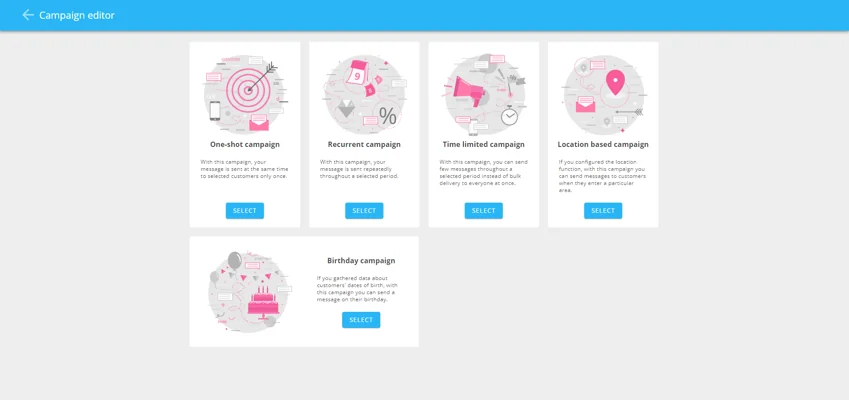
Personalised campaigns and loyalty programmes can welcome back absent customers, recognise regulars and mark occasions such as birthdays.
Give each communication a distinct reason to exist. An invitation to return should feel different from a thank-you to a frequent guest. Plan the offer, timing and wording together, and ensure the team in the venue understands what has been sent. The experience when a guest arrives should fulfil the expectation created by the message.
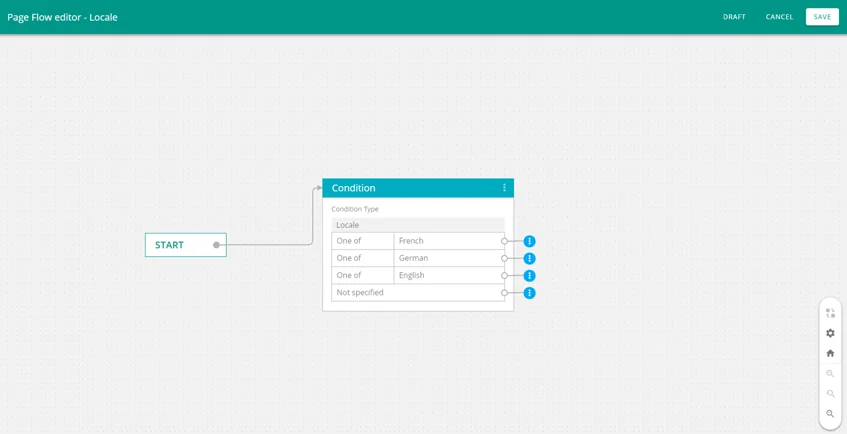
Linkyfi supports personalised language presentation so visitors can receive information in their own language.
Consider the whole welcome, including the instructions for connecting and the message that follows. Clear language matters most when someone is unfamiliar with the venue. Review translations for tone as well as meaning, and keep them current when an offer changes. A welcoming experience should remain understandable from the first screen to the final action.
The welcome guests see is only one part of the experience. Plan how the service will operate during normal trading and how your team will maintain it across locations.

Bandwidth and time limits can be combined, with different settings for different visitor groups, including loyal guests.
Decide what a useful connection means for your venue before choosing the settings. A quick lunch stop and a café visit lasting an afternoon may call for different expectations. Explain the service clearly and give staff a straightforward answer to common connection questions. Review the settings against the experience you want people to have.

Additional locations and networks can be added to the same account and managed through a central dashboard.
You can plan the rollout in stages rather than treating every venue as one large launch. Begin with a clear operating approach, record what the first team learns and use those lessons when preparing the next location. Agree who maintains the guest journey and who reviews it, so responsibility remains clear as more sites become involved.
Linkyfi combines stadium guest access with visitor analytics and marketing. It connects three areas of venue planning: understanding how the space is used, communicating with fans and managing connectivity during events.
A stadium experience unfolds in stages, from arrival and finding a seat to breaks and departure. Consider the role of WiFi at each stage rather than planning only for the moment someone signs in. Operations, communications and network teams should agree what a successful experience looks like before an event begins.
Anonymous device observations provide insight into movement and time spent around the venue. Linkyfi presents this information to support decisions about visitor experience and use of stadium space.
Begin with an operational question: where does the journey become difficult, and what could the venue change? Review the information alongside event timings and observations from the team on site. A busy area may need a different response during arrival than during a break. That context matters when deciding which improvement to try next.
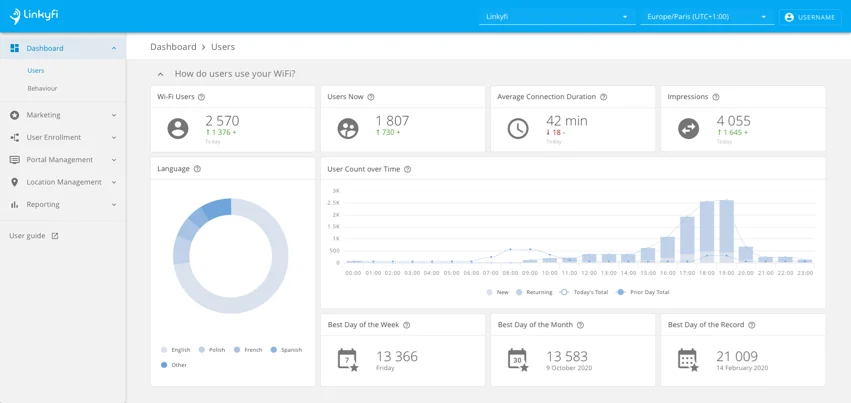

The marketing engine supports branded guest journeys and communication with fans beyond the connection itself.
Plan the message around the event and the audience. Someone visiting for the first time may need a different introduction from a regular supporter. Decide whether the immediate goal is to introduce the club, encourage a purchase or invite another visit. Keeping that goal clear makes it easier to create a coherent journey from the welcome screen to the next communication.
Stadium WiFi depends on both the physical network and the software used to manage access. Linkyfi provides management controls; the access-point deployment must also suit the venue and expected demand.
Plan around the busiest moments, not just an empty stadium. Arrivals, breaks and major moments can create very different patterns of use. Agree the intended guest experience with the network team, establish an operating plan and decide who can adjust settings during the event. Preparation makes those decisions easier when the venue is busy.
Branches represent a substantial part of a bank’s operations, but they also provide a place to connect personal service with digital channels. Linkyfi adds managed guest WiFi, branded communication and visitor insight to that setting, helping make a branch visit part of a connected customer experience.

A branch visit brings customers and advisers together. Guest WiFi adds another opportunity to introduce the bank’s services before that conversation starts. With Linkyfi’s portal editor, the welcome screen can feature investment services, credit cards or other relevant offers. Customers can explore a message while they wait and raise questions with staff during their appointment, connecting a digital introduction with a face-to-face discussion.

Banking serves people with widely differing needs, so a single message will not be relevant to every visitor. Linkyfi supports targeted WiFi marketing and advertising based on audience information. The platform brings marketing and advertising technology into the branch experience, helping banks present more relevant communications to the customer groups they want to reach.

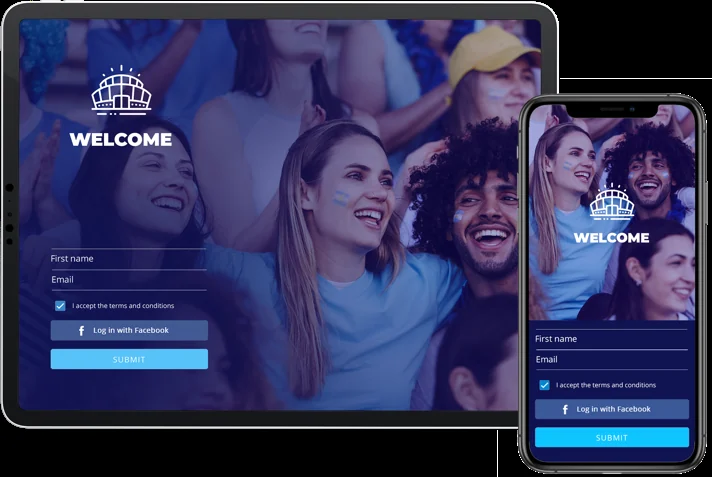
The guest connection can carry your bank’s identity throughout the experience. Linkyfi’s white-label approach lets the login page use your branding, with logos, colours and page design adapted through the portal builder. Visitors encounter a service that belongs visually to your bank, keeping this additional digital contact point consistent with the organisation they have chosen to visit.

After customers connect, direct them to your app’s website or store listing. This gives them a place to discover digital services while they wait and gives branch staff a useful starting point for a demonstration. The in-person visit becomes an opportunity to introduce tools customers can continue using afterwards.
Build the guest connection with a visual journey editor, covering welcome pages, access rules and information forms. Sign-in can use social accounts, email, Google or a questionnaire, with two-factor authentication available. This brings the steps of the guest journey into one managed flow, from the first welcome screen to access under the conditions presented to the visitor.
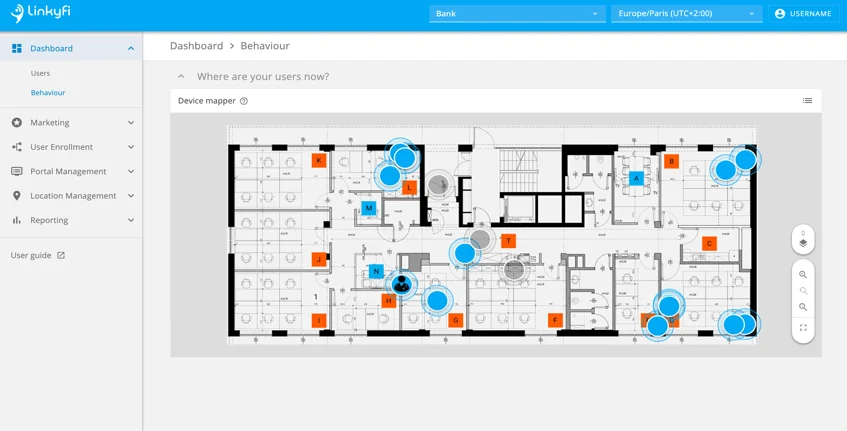
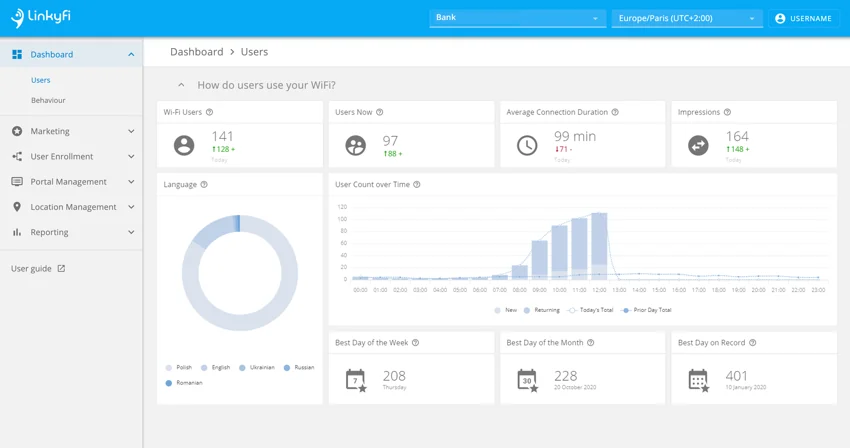
Information provided during sign-in can be considered alongside visitor behaviour. Available insights include demographics, location, engagement and return visits, supported by machine-learning analysis. Together, these views help connect the people visiting a branch with the way the location is used, giving teams a basis for understanding their audience and improving the experience offered there.
For someone travelling to work, a connection can make time in transit more useful. For a visitor in an unfamiliar city, it can make finding information easier. Guest WiFi should be considered throughout the journey, including time spent waiting at a station and time on board.
Linkyfi brings analytics, passenger information and marketing into the guest WiFi experience. Plan these alongside connectivity: decide what the passenger should see after signing in and what the operator needs to understand about the journey. A useful service begins with those questions, rather than with a login screen alone.
Buses, trams and metro services serve journeys that repeat every day. Use passenger-flow information to examine service demand, and make the sign-in journey a useful place to collect feedback or direct passengers towards tickets.
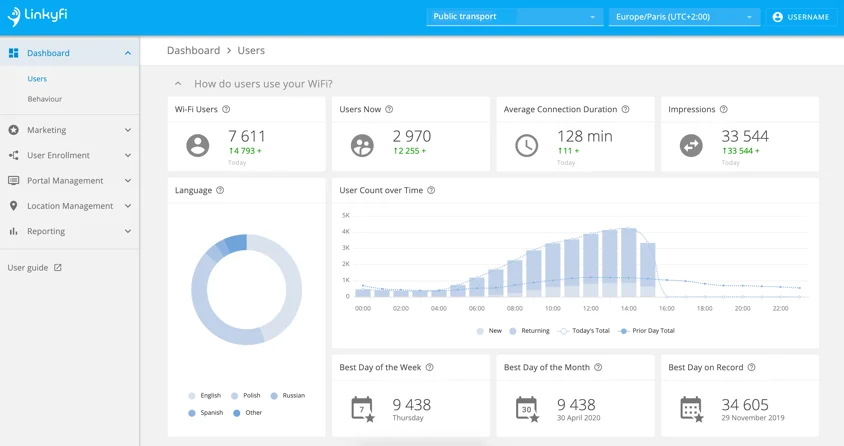
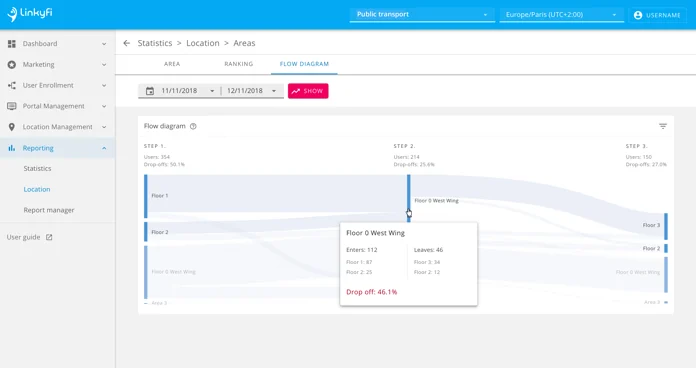
The passenger experience extends beyond the vehicle to platforms and stations. Consider the movement through those spaces as well as the information a traveller needs before departure and at the destination.
An airport journey involves several decisions: where to go, which information to check and how to ask for help. Guest WiFi can provide an entry point to those services while helping the operator understand activity in the terminal.
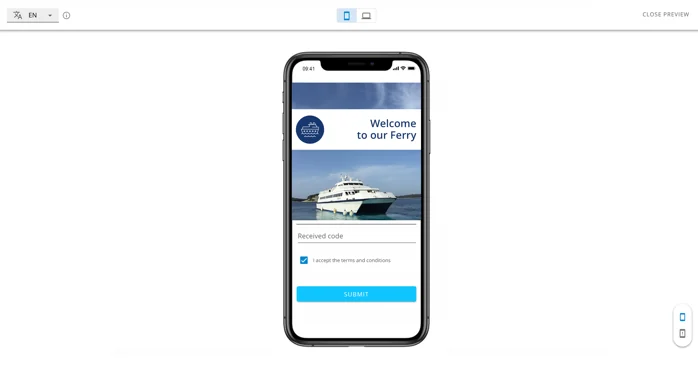
Onboard connectivity can introduce passengers to useful facilities and travel information. For regular travellers, it can also provide a channel for relevant loyalty offers beyond a single sailing.
We will review your access points, controllers, firmware and guest-network setup before proposing a deployment. Share your equipment list and venue requirements so compatibility and any changes can be confirmed.
Guests follow the configured captive-portal journey. During planning, choose the sign-in method, information requested and destination after login.
Yes. Locations and tenants can be managed centrally. We will scope the organisation structure and responsibilities around your teams.
Before launch, define what information your portal requests, how it will be used and how visitor choices are recorded. Include retention, privacy notices and access responsibilities in the rollout plan.
API integration is available. Share your CRM, required data fields and intended workflow so the integration scope can be assessed.
Bandwidth and session limits help shape access. The guest experience also depends on wireless coverage and the available internet connection.
Request a demo and describe your venues and goals. The proposal should define implementation, training, support responsibilities and any ongoing services before you commit.
Tell us what you want to achieve with guest WiFi. Nordma will prepare a scoped proposal with licensing, implementation and support clearly identified.
Number and type of venues, expected guest demand and whether you want to begin with one location or a wider rollout.
Access-point and controller models, internet connectivity and any planned infrastructure changes.
Branding, login options, languages, campaigns, reporting priorities and systems you want to connect.
Who will manage the service, which teams need access, and what implementation and ongoing support you require.
Your quotation will set out the proposed licence terms, included capabilities, one-off work and recurring charges. We can discuss whether a pilot would help validate your requirements.